Don't miss your chance to take the Fabric Data Engineer (DP-600) exam for FREE! Find out how by attending the DP-600 session on April 23rd (pacific time), live or on-demand.
Learn moreNext up in the FabCon + SQLCon recap series: The roadmap for Microsoft SQL and Maximizing Developer experiences in Fabric. All sessions are available on-demand after the live show. Register now
Hello,
I am trying to integrate a condition into visual below, where the "dots" would change colour or shape based on a condition in the dataset (values present in a different column).
I have looked through the market place, and did not find line graphs with conditional functionality.
Any suggestions for the workarounds? The logic is to create instant visibility which of the dots have been actioned.
Thanks
Each dot represents a unique reference
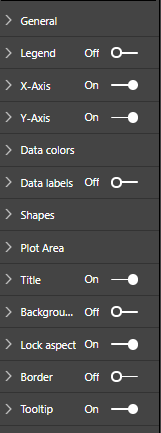
no conditional formatting option on the line charts
Hi @Anonymous,
As I know, this feature Conditional formatting for Line Graphs is not supported in Power BI Desktop currently, you could vote this idea which has been submitted in Power BI ideas forum.
For your sceanrio, you may have a try with creating measures to achieve your requirement as a workaround.
As reference, you could have a look at this similar thread.
Best Regards,
Cherry
If you have recently started exploring Fabric, we'd love to hear how it's going. Your feedback can help with product improvements.
A new Power BI DataViz World Championship is coming this June! Don't miss out on submitting your entry.
Share feedback directly with Fabric product managers, participate in targeted research studies and influence the Fabric roadmap.
| User | Count |
|---|---|
| 48 | |
| 45 | |
| 41 | |
| 20 | |
| 17 |
| User | Count |
|---|---|
| 69 | |
| 63 | |
| 32 | |
| 31 | |
| 25 |