Get certified for free when you join Fabric Data Days 2026 and dive into Fabric, Power BI, SQL, AI, and other essential data skills.
Join nowTry your skills in the Power BI Dataviz World Championship! Round one ends June 26. Join now
Hello,
I am trying to integrate a condition into visual below, where the "dots" would change colour or shape based on a condition in the dataset (values present in a different column).
I have looked through the market place, and did not find line graphs with conditional functionality.
Any suggestions for the workarounds? The logic is to create instant visibility which of the dots have been actioned.
Thanks
Each dot represents a unique reference
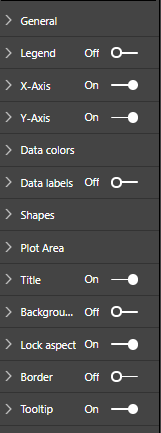
no conditional formatting option on the line charts
Hi @Anonymous,
As I know, this feature Conditional formatting for Line Graphs is not supported in Power BI Desktop currently, you could vote this idea which has been submitted in Power BI ideas forum.
For your sceanrio, you may have a try with creating measures to achieve your requirement as a workaround.
As reference, you could have a look at this similar thread.
Best Regards,
Cherry
| User | Count |
|---|---|
| 23 | |
| 21 | |
| 20 | |
| 17 | |
| 11 |
| User | Count |
|---|---|
| 55 | |
| 53 | |
| 43 | |
| 36 | |
| 32 |