Join us at FabCon Atlanta from March 16 - 20, 2026, for the ultimate Fabric, Power BI, AI and SQL community-led event. Save $200 with code FABCOMM.
Register now!Vote for your favorite vizzies from the Power BI Dataviz World Championship submissions. Vote now!
Hello! I wanted to know if it is possible to combine a stacked bar graph and a clustered bar graph? For example, have the clustered bars showing values for 2016 and 2017 and having the stacked part showing values for "yes" and "no" for that year...
Hi @MExtross,
Could you please share your sample table for further analysis? Based on my understanding, you don't need to combine two visuals, just use stacked bar graph, put year field as X-Axis, the field including "Yes" or "No" as Legend, then you can get expected result.
I create the following sample table.
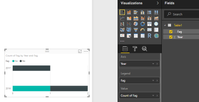
Create a stacked bar graph as follows, showing values for 2016 and 2017 and having the stacked part showing values for "yes" and "no" for that year.
Best Regards,
Angelia
Hi @v-huizhn-msft,
My apologies! I realize I was very vague in my example.
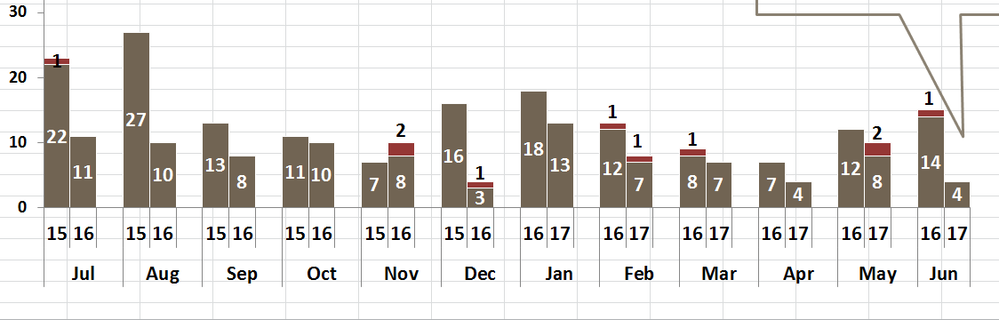
The problem is that I would like the data sorted on a monthly basis as well. So the x-axis would be the month, the bars in the clustered part woulf be 2016 and 2017, and the stacked part would show the values of yes or no...
I have this on excel but am unable to copy the formatting in power bi.
Thanks,
Maegan
Hi @MExtross,
Based on my understanding, we can't achieve the requirement in Power BI desktop. Could you please post a screenshot of you got in excel?
Best Regards,
Angelia
Vote for your favorite vizzies from the Power BI World Championship submissions!
If you love stickers, then you will definitely want to check out our Community Sticker Challenge!
Check out the January 2026 Power BI update to learn about new features.
| User | Count |
|---|---|
| 64 | |
| 51 | |
| 46 | |
| 23 | |
| 19 |
| User | Count |
|---|---|
| 139 | |
| 112 | |
| 51 | |
| 33 | |
| 29 |