Join us at FabCon Atlanta from March 16 - 20, 2026, for the ultimate Fabric, Power BI, AI and SQL community-led event. Save $200 with code FABCOMM.
Register now!The Power BI Data Visualization World Championships is back! Get ahead of the game and start preparing now! Learn more
Hello! I wanted to know if it is possible to combine a stacked bar graph and a clustered bar graph? For example, have the clustered bars showing values for 2016 and 2017 and having the stacked part showing values for "yes" and "no" for that year...
Hi @MExtross,
Could you please share your sample table for further analysis? Based on my understanding, you don't need to combine two visuals, just use stacked bar graph, put year field as X-Axis, the field including "Yes" or "No" as Legend, then you can get expected result.
I create the following sample table.
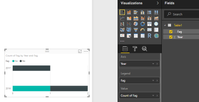
Create a stacked bar graph as follows, showing values for 2016 and 2017 and having the stacked part showing values for "yes" and "no" for that year.
Best Regards,
Angelia
Hi @v-huizhn-msft,
My apologies! I realize I was very vague in my example.
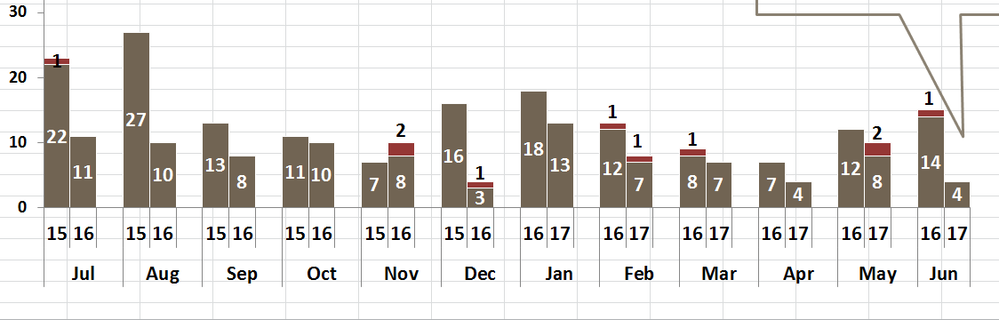
The problem is that I would like the data sorted on a monthly basis as well. So the x-axis would be the month, the bars in the clustered part woulf be 2016 and 2017, and the stacked part would show the values of yes or no...
I have this on excel but am unable to copy the formatting in power bi.
Thanks,
Maegan
Hi @MExtross,
Based on my understanding, we can't achieve the requirement in Power BI desktop. Could you please post a screenshot of you got in excel?
Best Regards,
Angelia
The Power BI Data Visualization World Championships is back! Get ahead of the game and start preparing now!
| User | Count |
|---|---|
| 39 | |
| 37 | |
| 33 | |
| 32 | |
| 29 |
| User | Count |
|---|---|
| 133 | |
| 88 | |
| 85 | |
| 68 | |
| 64 |