We've captured the moments from FabCon & SQLCon that everyone is talking about, and we are bringing them to the community, live and on-demand. Starts on April 14th. Register now
Hello all! *I can't use calculated column because I'm getting the data by Streaming Direct Query on PBI online..
I would like to choose the variable value, for example..This is level fiter, and is selected "is = 2", sorry about the portuguese...
Measure A = //I don't know how to do it
Measure B =
IF{ table [Measure A] = 1; This does something;
IF{ table [Measure A] = 2; This does otherthing( Would select this if Measure A was working, as you can see at the image above);
IF{ table [Measure A] = 3; This is the command that I want to select via level filter;
IF{ table [Measure A] = 4; As this one...;
}
This is just a way I think can solve my problem, I want to select different functions into one measure( Measure B). And I want to insert Measure B in one visual table. Doesn't exist a way of inserting data into the report, right, like...
CALCULATING CAR SPEED
Insert distance:_______
Insert time:_______
CALCULATE
Thank you all,
Best Regards,
Diego
Solved! Go to Solution.
Hi @sirros_iot,
You need to have a reference to a column or another table that allows you to do it.
Regards,
MFelix
Regards
Miguel Félix
Proud to be a Super User!
Check out my blog: Power BI em PortuguêsRegards
Miguel Félix
Proud to be a Super User!
Check out my blog: Power BI em PortuguêsHi @sirros_iot,
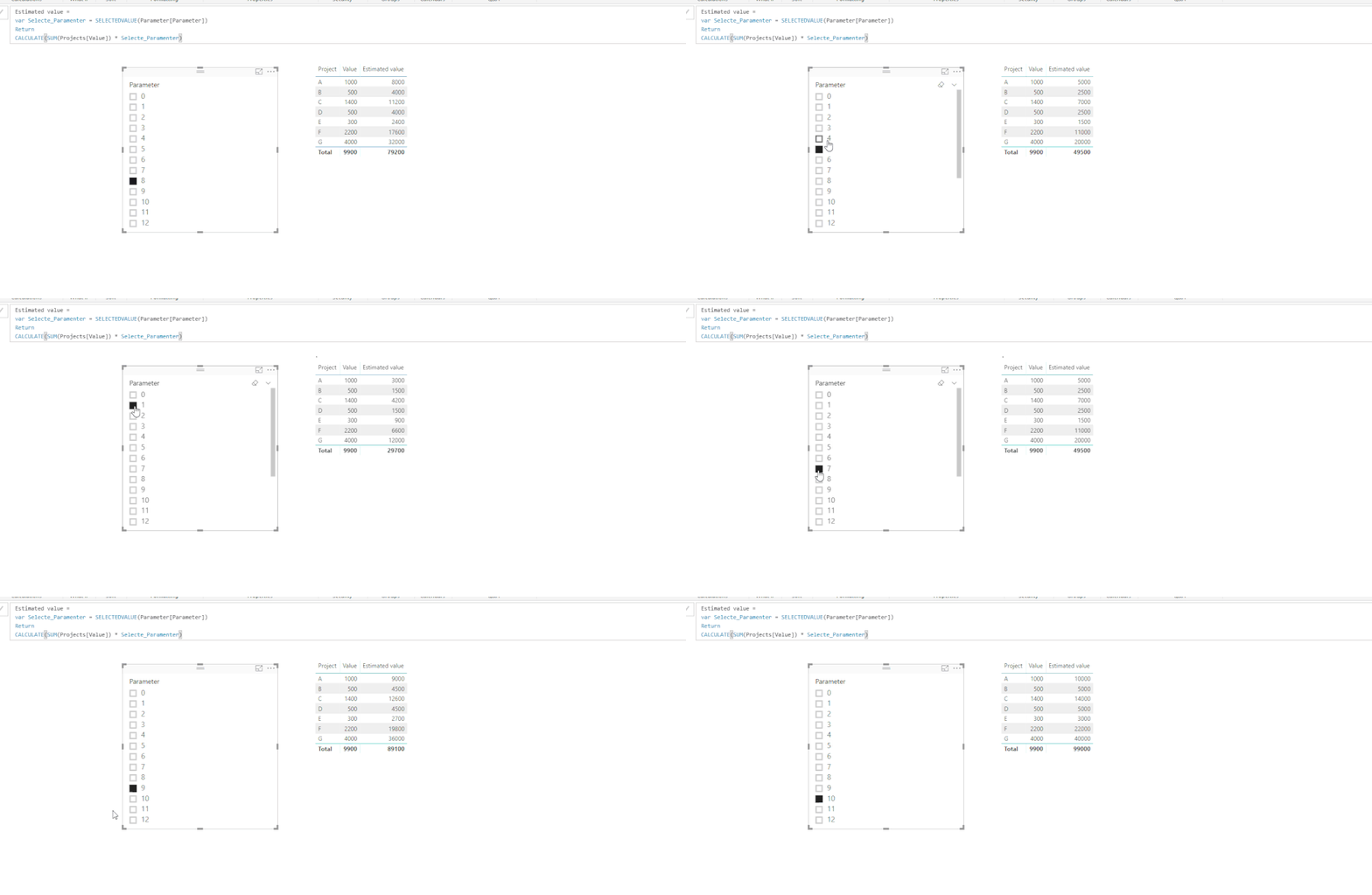
I created a PBIX file with a sample data, I have created a table with the What If option on the modeling tab,
Then created a measure with a variable that is based on the table created in the previous step, that selects the lue on the slicer.
This is just a simple example but it how it works.
Regards,
MFelix
Regards
Miguel Félix
Proud to be a Super User!
Check out my blog: Power BI em PortuguêsThank you for the reply @MFelix! That's what I would like to do!
But I think I can't create that parameter table.. I'm getting the data by Push Streaming Dataset
Do you know a way of doing that without creating any data?
Best Regards,
Diego
Hi @sirros_iot,
You need to have a reference to a column or another table that allows you to do it.
Regards,
MFelix
Regards
Miguel Félix
Proud to be a Super User!
Check out my blog: Power BI em PortuguêsIf you have recently started exploring Fabric, we'd love to hear how it's going. Your feedback can help with product improvements.
A new Power BI DataViz World Championship is coming this June! Don't miss out on submitting your entry.
Share feedback directly with Fabric product managers, participate in targeted research studies and influence the Fabric roadmap.
| User | Count |
|---|---|
| 54 | |
| 39 | |
| 32 | |
| 17 | |
| 15 |
| User | Count |
|---|---|
| 64 | |
| 63 | |
| 37 | |
| 36 | |
| 22 |