cancel
Showing results for 
Search instead for 
Did you mean: 

Join the FabCon + SQLCon recap series. Up next: Power BI, Real-Time Intelligence, IQ and AI, and Data Factory take center stage. All sessions are available on-demand after the live show. Register now

Reply
AlexHolmeset
Helper III
Helper III

Change date format?

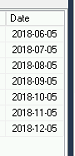
SQL store the dates as yyyy-dd-mm(collumn is string and not datetime):
image.png

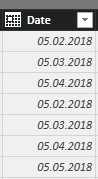
Power BI shows the date as mm-dd-yyyy(i have for testing coppied the data to excell and set the collumn as date format):
image.png


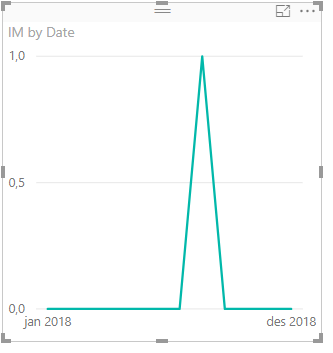
My regional settings is set to Norwegian/European. So the date should be dd-mm-yyyy, but when creating charts Power BI reads it as mm-dd-yyyy. 

Any idea how i can fix this in Power BI? Or do i have to go back to SQL and get it in the correct format there?  I had some problems when inputting the data in SQL as datetime and not varchar.

1 ACCEPTED SOLUTION

I set this on top in my insert sql query:
SET DATEFORMAT dmy;


now its working as it should 😄

View solution in original post

6 REPLIES 6
MattAllington
Community Champion
Community Champion

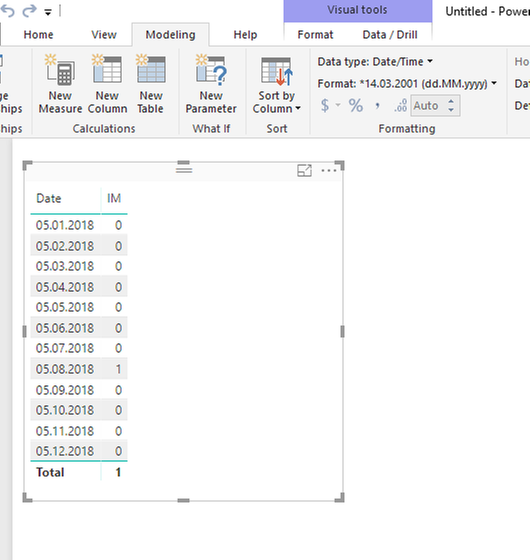
You should be able to set this in the modelling ribbon, date format 


* Matt is an 8 times Microsoft MVP (Power BI) and author of the Power BI Book Supercharge Power BI.
I will not give you bad advice, even if you unknowingly ask for it.

like this? It still reads as mm-dd-yyyy.

image.pngimage.png

Anonymous
Not applicable

You could change the locale in option.


Go to options and regional settings and select your choice.


If it still doesnt work after you have changed the format in modelling tab, do an explict conversion in SQL e.g (CONVERT(Varchar, Date, 102).


Regards

Yomi

Thanks for the replies.  Change region to english(united states) but still the same. 
Il take a look at converting in SQL.

@AlexHolmeset


Could you try to re add the slicer or date column to your visualisation after changing your local settings 🙂


Alex.

I set this on top in my insert sql query:
SET DATEFORMAT dmy;


now its working as it should 😄

Helpful resources

Announcements
April Power BI Update Carousel

Power BI Monthly Update - April 2026

Check out the April 2026 Power BI update to learn about new features.

New to Fabric survey Carousel

New to Fabric Survey

If you have recently started exploring Fabric, we'd love to hear how it's going. Your feedback can help with product improvements.

Power BI DataViz World Championships carousel

Power BI DataViz World Championships - June 2026

A new Power BI DataViz World Championship is coming this June! Don't miss out on submitting your entry.

FabCon and SQLCon Highlights Carousel

FabCon &SQLCon Highlights

Experience the highlights from FabCon & SQLCon, available live and on-demand starting April 14th.