Join us at FabCon Atlanta from March 16 - 20, 2026, for the ultimate Fabric, Power BI, AI and SQL community-led event. Save $200 with code FABCOMM.
Register now!Learn from the best! Meet the four finalists headed to the FINALS of the Power BI Dataviz World Championships! Register now
Hi Community Friends,
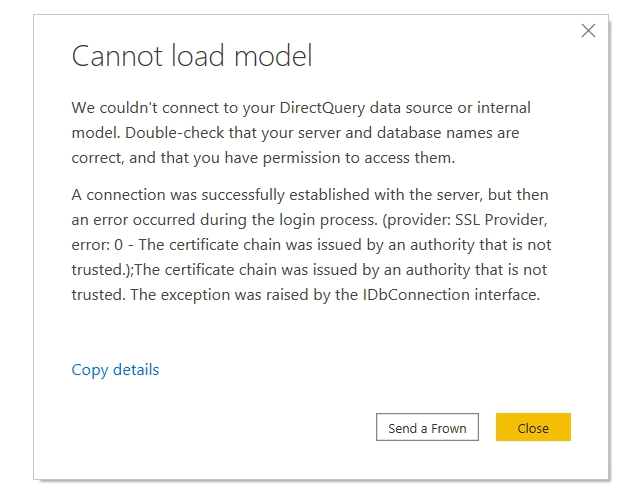
Im currently testing out the Oct 2020 release of Power BI desktop and as I try to open exsisting reports that where created in previous versions I get an error that Power BI Cannot load model. All the reports I have tried to open are using direct query and I get the below error across all direct query reports.
The only way I found to remedy thiss is to access the data source, edit permissions and manually re run the native query which seems to fix it however we will be rolling this out to our Corporation and I was wondering if there is an alternative fix where users dont have to go through running queries manually..
@Andersen1 , refer to the solutions from past
if not refer oct -2020 issues -https://community.powerbi.com/t5/Issues/idb-p/Issues
Share feedback directly with Fabric product managers, participate in targeted research studies and influence the Fabric roadmap.
Check out the February 2026 Power BI update to learn about new features.
| User | Count |
|---|---|
| 63 | |
| 55 | |
| 41 | |
| 17 | |
| 14 |
| User | Count |
|---|---|
| 97 | |
| 80 | |
| 35 | |
| 29 | |
| 25 |