This is best Fabric, Power BI, SQL and AI community event. How do we know? The last event sold out! Save €200 with code FABCMTY200.
Register nowA new Data Days event is coming soon! This time we’re going bigger than ever. Fabric, Power BI, SQL, AI and more. Don't miss out.
Hi Guys,
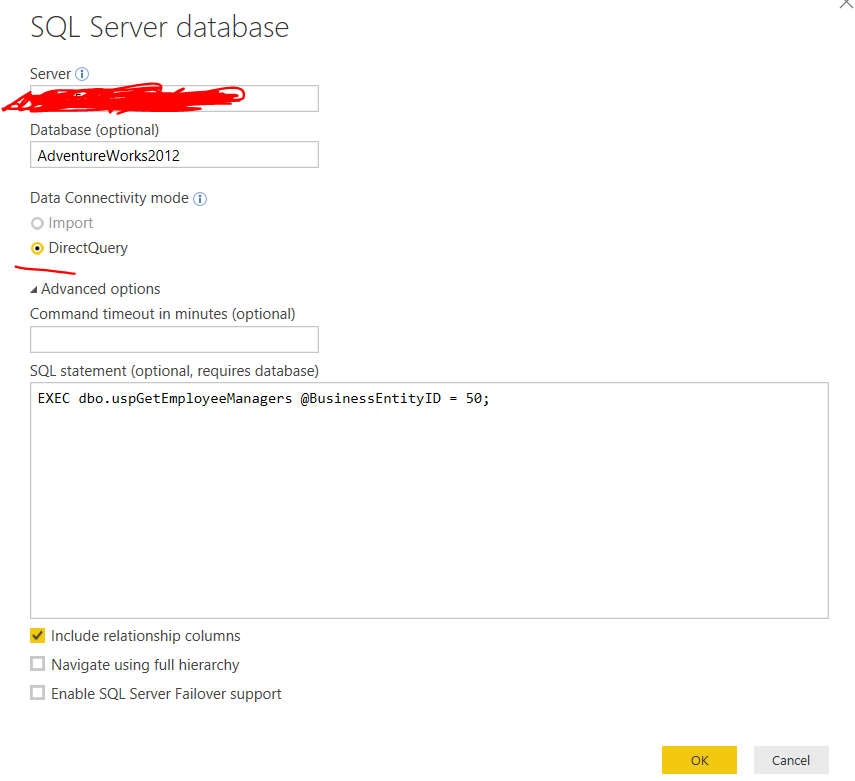
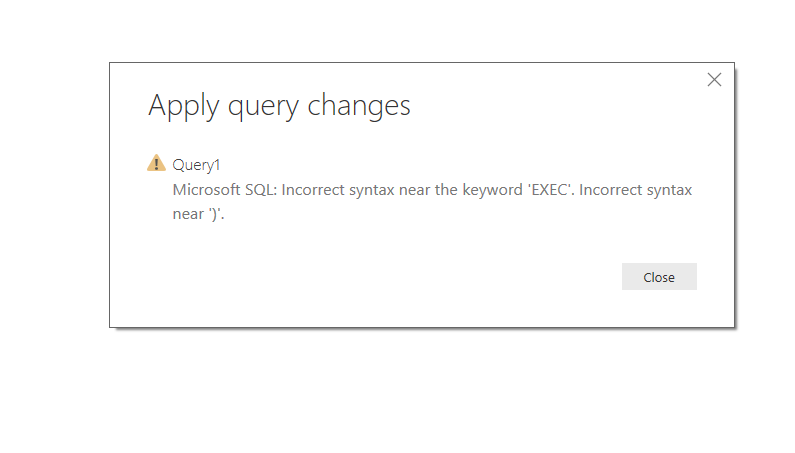
I was pretty stunned to know today that we cannot simply call a stored procedure in direct query mode as it gives systax error after closing Query Editor.
Can anyone provide any workarounds as i cannot switch to model based connection.
Prateek Raina
At our end, we have full ability to setup new functions, so the easiest is to just configure the SP as a function. OpenRowset/Openquery will work but is messy.
You can also convert the stored procedures to table based functions. Then use a select * from <function_name> in Power BI.
Hello @prateekraina
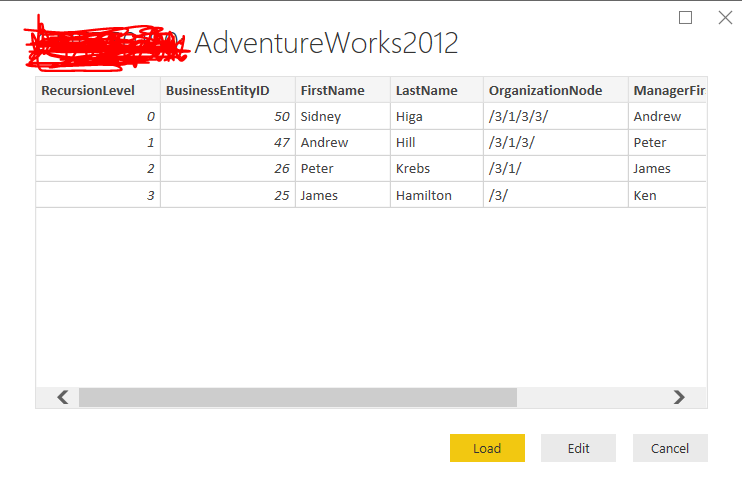
Same here. I am able to load the data into PQ but once I close it I get back incorrect syntax error
Nope. Actually, there should not be a solution or a workaround to this. It should just work.....
This issue is on the lis of PBI ideas (only 4 votes of today). Please vote!
https://ideas.powerbi.com/forums/265200-power-bi-ideas/suggestions/33504791-direct-query
N -
Hi @nickchobotar,
I voted .
I did my research and found a solution use the following query (replace server name and parameters you would like to use):
select *
from
openrowset('SQLOLEDB','SERVER=SERVERNAME;Trusted_Connection=yes;',' set fmtonly off;exec DATABASE..SPNAME @StartDate=''2018-01-01'' ,@EndDate=''2018-01-04'' ')
(you need to alow openrowset functionality at your sqlserver database)
I know it's been a while but as you know they haven't fixed the problem.
Questions, I tried this code with no success. How did you set it up in your PBI file?
Sign up to receive a private message when registration opens and key events begin.
If you have recently started exploring Fabric, we'd love to hear how it's going. Your feedback can help with product improvements.
| User | Count |
|---|---|
| 33 | |
| 26 | |
| 23 | |
| 21 | |
| 15 |
| User | Count |
|---|---|
| 63 | |
| 43 | |
| 28 | |
| 24 | |
| 22 |