
Get certified for free when you join Fabric Data Days 2026 and dive into Fabric, Power BI, SQL, AI, and other essential data skills.
Join nowData Days is here! Join us now for 60+ days of learning, challenges, and connection. Learn more
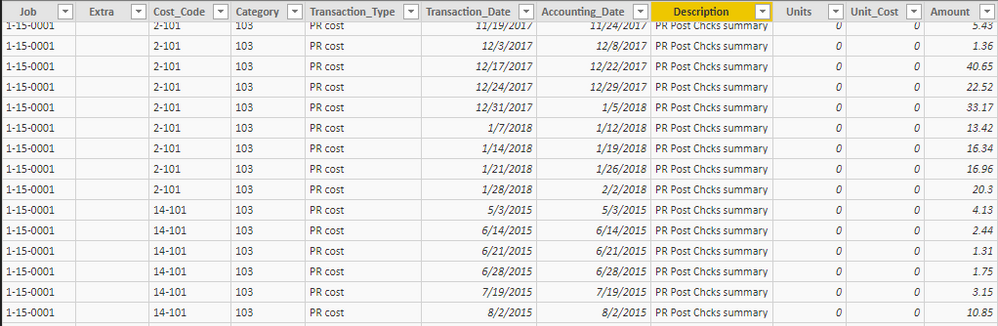
I have a table of transaction data. PowerBI has done great for totalling by rows. But now I need totals to get my visualizations done correctly to be able to show totals of transaction types as of X/XX/XXXX.
I believe I need a running totals table based on the date,job and Cost code. Or maybe a calculated column. I'm not sure.
The thought process I had was:
Each row will be the totals for a date, job and cost code.
Each totals column will be a total of various Transaction types for that job & cost code as of the date in the row.
In the example below Job 15-0011 incured a total of 15,000 for cost code 2-104. As of 5/21 we got a -9000 transaction bringing the total to 6000.
Hope everything I provided makes sense.
This has been a fun challenge for me to work with but I'm at a wall.
if you just want to see the total Amount per Job then all you need to do is to drag the Job into table visual and then do the same with Amount although it is better to create a simple measure such as:
SumOfAmount = SUM(Table[Amount])
basically the same behaviour you would have in a pivot in Excel, creating new table is much closer to SQL like thinking but it's definitely not a good solution here.
so in short - create a visual table, not a calculated table
Totally over thought this and scrapped this direction. Thanks for the reply though.
Don't miss out on Data Days, June 15 through August 7. Learn Fabric, Power BI, SQL, AI and more.
Check out the May 2026 Power BI update to learn about new features.
| User | Count |
|---|---|
| 22 | |
| 21 | |
| 20 | |
| 19 | |
| 13 |
| User | Count |
|---|---|
| 58 | |
| 52 | |
| 37 | |
| 31 | |
| 27 |