This is best Fabric, Power BI, SQL and AI community event. How do we know? The last event sold out! Save €200 with code FABCMTY200.
Register nowJuly 28 - August 9 | Final Round of the Power BI Dataviz World Championships. This is your chance. Learn more
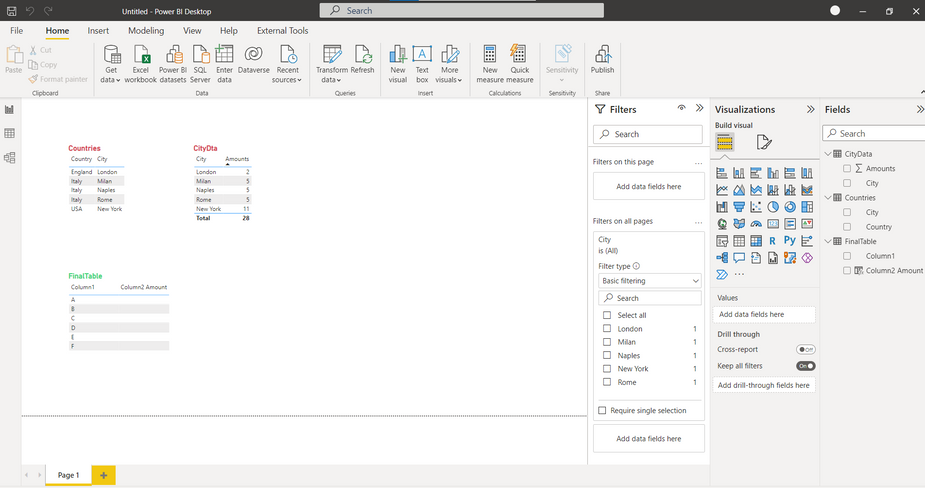
Hello. I'll explain my problem, hope somebody will help: I have 3 Tables "Countries", "CityData" and "Finaltable".
"Countries" and "CityData" are related by city column.
As you see, there is a filter on "Filters on all pages" pane - "City" column from "Citydata" table.
I need, in third "Finaltable" table, in calculated column "Column2 Amount" to be shown the corresponding amount of selected (filtered) city.
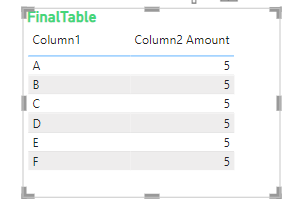
for instance, if on "Filters on all pages" pane there is selected Milan, then
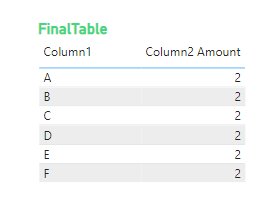
if on "Filters on all pages" pane there is selected London, then
I need calculated column "Column2 Amount" and not Measure.
There will not be be more than 1 value selected in on "Filters on all pages" pane.
Thanks in advance
Hi,
why do you need a calculated column?
It doesn't work. Calculated columns are calculated during refresh of the data model and don't have a filter context.
This means that you can't change the value of a calculated column with slicers.
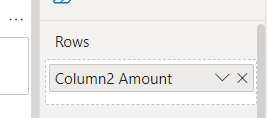
Thanks for reply. In real project, where I need the solution, peple are connected to this data model, with excel files and they are using "Column2 Amount" in tables and matrix visuals, as rows:
Besides, it's necessary to use "Column2 Amount" as filters. How can it be done?
Can't I create KPI, and than than use the values of KPI in calculted column?
Join us in Barcelona for FabCon and SQLCon, the Fabric, Power BI, SQL, and AI community event. Save €200 with code FABCMTY200.
If you love stickers, then you will definitely want to check out our community sticker challenge, Barcelona edition!
Check out the July 2026 Power BI update to learn about new features.
| User | Count |
|---|---|
| 25 | |
| 23 | |
| 19 | |
| 17 | |
| 14 |
| User | Count |
|---|---|
| 24 | |
| 20 | |
| 20 | |
| 19 | |
| 19 |