Get Fabric or SQL Certified for Free.
Get certified for free when you join Fabric Data Days 2026 and dive into Fabric, Power BI, SQL, AI, and other essential data skills.
Join now- Power BI forums
- Get Help with Power BI
- Desktop
- Service
- Report Server
- Power Query
- Mobile Apps
- Developer
- DAX Commands and Tips
- Custom Visuals Development Discussion
- Health and Life Sciences
- Power BI Spanish forums
- Translated Spanish Desktop
- Training and Consulting
- Instructor Led Training
- Dashboard in a Day for Women, by Women
- Galleries
- Data Stories Gallery
- Themes Gallery
- Contests Gallery
- QuickViz Gallery
- Quick Measures Gallery
- Visual Calculations Gallery
- Notebook Gallery
- Translytical Task Flow Gallery
- TMDL Gallery
- R Script Showcase
- Webinars and Video Gallery
- Ideas
- Custom Visuals Ideas (read-only)
- Issues
- Issues
- Events
- Upcoming Events
July 7 - July 17 | Round 2 of the Power BI Dataviz World Championships. Don't miss your chance! Learn more
- Power BI forums
- Forums
- Get Help with Power BI
- Desktop
- Re: Bookmark bug? Inconsistent behaviour
- Subscribe to RSS Feed
- Mark Topic as New
- Mark Topic as Read
- Float this Topic for Current User
- Bookmark
- Subscribe
- Printer Friendly Page

- Mark as New
- Bookmark
- Subscribe
- Mute
- Subscribe to RSS Feed
- Permalink
- Report Inappropriate Content
Bookmark bug? Inconsistent behaviour
Good evening,
Is there a bug in the bookmark feature?
I have set a Bookmark to a page with none of the slicers selected. If I then select both slicers and click on the bookmark, only one of them clears.
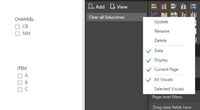

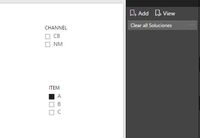
I have then tried changing the bookmark. This time the bookmark is created with both slicers selected. If de-select and then click on the bookmark, both slicers are selected (as they should).
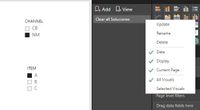


So it is inconsistent, right? Can aynone reproduce this?
Thanks.
Did I answer your question? Mark my post as a solution!
In doing so, you are also helping me. Thank you!
Proud to be a Super User!
Paul on Linkedin.
Solved! Go to Solution.
- Mark as New
- Bookmark
- Subscribe
- Mute
- Subscribe to RSS Feed
- Permalink
- Report Inappropriate Content
@PaulDBrown,
I can't reproduce this issue today. Could you please reboot your machine and re-start Power BI Desktop?
Regards,
Lydia

- Mark as New
- Bookmark
- Subscribe
- Mute
- Subscribe to RSS Feed
- Permalink
- Report Inappropriate Content
@PaulDBrown,
What is the version of Power BI Desktop? I make a test using the latest version of Power BI Desktop(2.54.4970.961), when I select values in the two slicers, and click on the bookmark, both selections are not cleared.
Regards,
Lydia
- Mark as New
- Bookmark
- Subscribe
- Mute
- Subscribe to RSS Feed
- Permalink
- Report Inappropriate Content
@Anonymous
Lydia,
I’m using the January update. I actually re-downloaded Power Bi desktop yesterday and tried the whole process again, and I get the same behaviour.
scenario 1:
1. Set the bookmark with no slicers selected.
2. Select both slicers.
3. Click bookmark: only one slicer clrears.
scenario 2
1. Set the bookmark with both slicers selected
2. Clear the slicers
3. Click the bookmark: both slicers selected (as is “expected”)
Any ideas?
thanks,
Paul.
Did I answer your question? Mark my post as a solution!
In doing so, you are also helping me. Thank you!
Proud to be a Super User!
Paul on Linkedin.
- Mark as New
- Bookmark
- Subscribe
- Mute
- Subscribe to RSS Feed
- Permalink
- Report Inappropriate Content
@PaulDBrown,
I can't reproduce this issue today. Could you please reboot your machine and re-start Power BI Desktop?
Regards,
Lydia
- Mark as New
- Bookmark
- Subscribe
- Mute
- Subscribe to RSS Feed
- Permalink
- Report Inappropriate Content
@Anonymous
Lydia,
Now that is weird. I just tried the bookmark and it is working today. Baffled as to why this was causing problems last week. Nothing has changed since then!
Thank you for looking into this.
Regards,
Paul.
Did I answer your question? Mark my post as a solution!
In doing so, you are also helping me. Thank you!
Proud to be a Super User!
Paul on Linkedin.

- Mark as New
- Bookmark
- Subscribe
- Mute
- Subscribe to RSS Feed
- Permalink
- Report Inappropriate Content
I am also having trouble using bookmarks. Previously functionality no longer seems to work.
I use a bookmark to clear filters. To do so, I created a bookmark with all of my slicers/filters cleared. I then created an image that is linked to the the bookmark. When you click on the clear filters image, it should return the report to the state where all filters were cleared.
In the past, this functionality worked like a charm and was super simple to set up. However, I can't seem to get this to work in new reports that I'm creating today. It seems to be random. If I select one filter and then try 'clear filters', it sometimes works. Sometimes not. If two filters are selected, it most often does nothing.
Please note that I have uploaded the latest version of PBI (January). Could it be a bug was interduced with this implementation?
- Mark as New
- Bookmark
- Subscribe
- Mute
- Subscribe to RSS Feed
- Permalink
- Report Inappropriate Content
Anyone?
Did I answer your question? Mark my post as a solution!
In doing so, you are also helping me. Thank you!
Proud to be a Super User!
Paul on Linkedin.
Helpful resources

FabCon & SQLCon – Barcelona 2026
Join us in Barcelona for FabCon and SQLCon, the Fabric, Power BI, SQL, and AI community event. Save €200 with code FABCMTY200.

Data Days 2026
Join Fabric Data Days 2026: 60 days of free live/on-demand sessions, challenges, study groups, and certification opportunities.

Power BI DataViz World Championships - June 2026
A new Power BI DataViz World Championship is coming this June! Don't miss out on submitting your entry.

| User | Count |
|---|---|
| 27 | |
| 24 | |
| 18 | |
| 14 | |
| 14 |


| User | Count |
|---|---|
| 65 | |
| 41 | |
| 40 | |
| 39 | |
| 39 |


