cancel
Showing results for 
Search instead for 
Did you mean: 

The Power BI Data Visualization World Championships is back! Get ahead of the game and start preparing now! Learn more

Reply
TristanBreizh
Frequent Visitor

Apply query changes without refresh data

Hi,


Does anyone know how to apply changes in a query tab without refreshing data ?

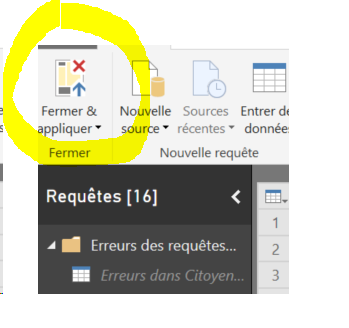
Refreshing data take too much time, and I want to modify query tab without a refresh/load of data when I want to apply this changes in my report. For example, I have modify a column to have name and not value, I click on Apply and Close and PBI start to Load data again. How I can stop that ?

Sans titre.png

Thank a lot for any help.


Tristan

1 ACCEPTED SOLUTION

Hi @TristanBreizh

Just Uncheck Include in report refresh, keep Enable Load checked.


"Include In Report Refresh" means query is automatically refreshed when you press "Refresh" button on the ribbon.

"Enable Load" means query results are available for report builder. Otherwise you may use it in your other queries (for example to merge data), but it is not shown in the report builder.


Best Regards

Maggie

View solution in original post

4 REPLIES 4
Omega
Impactful Individual

Right-click on the query/table. Uncheck Enable Load and Include in report refresh. 

Unchecking Enable Load will remove the query from your data model--breaking any measures and visuals that rely on it, so I'm not sure that's what you want.

Mmmm ... I have cashed all my visuals ... Now I'm know it's not what I wanted Smiley Happy.


I want the same thing but with my visuals working and my tab appearing in my report ^^.


Thank for your help.

Hi @TristanBreizh

Just Uncheck Include in report refresh, keep Enable Load checked.


"Include In Report Refresh" means query is automatically refreshed when you press "Refresh" button on the ribbon.

"Enable Load" means query results are available for report builder. Otherwise you may use it in your other queries (for example to merge data), but it is not shown in the report builder.


Best Regards

Maggie

Helpful resources

Announcements
Power BI DataViz World Championships

Power BI Dataviz World Championships

The Power BI Data Visualization World Championships is back! Get ahead of the game and start preparing now!

December 2025 Power BI Update Carousel

Power BI Monthly Update - December 2025

Check out the December 2025 Power BI Holiday Recap!

FabCon Atlanta 2026 carousel

FabCon Atlanta 2026

Join us at FabCon Atlanta, March 16-20, for the ultimate Fabric, Power BI, AI and SQL community-led event. Save $200 with code FABCOMM.