cancel
Showing results for 
Search instead for 
Did you mean: 

July 7 - July 17 | Round 2 of the Power BI Dataviz World Championships. Don't miss your chance! Learn more

Reply
TristanBreizh
Frequent Visitor

Apply query changes without refresh data

Hi,


Does anyone know how to apply changes in a query tab without refreshing data ?

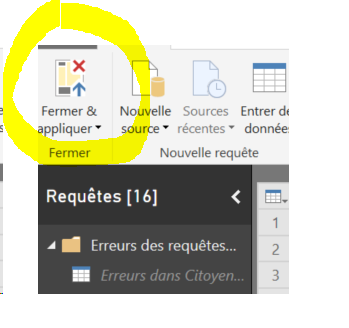
Refreshing data take too much time, and I want to modify query tab without a refresh/load of data when I want to apply this changes in my report. For example, I have modify a column to have name and not value, I click on Apply and Close and PBI start to Load data again. How I can stop that ?

Sans titre.png

Thank a lot for any help.


Tristan

1 ACCEPTED SOLUTION

Hi @TristanBreizh

Just Uncheck Include in report refresh, keep Enable Load checked.


"Include In Report Refresh" means query is automatically refreshed when you press "Refresh" button on the ribbon.

"Enable Load" means query results are available for report builder. Otherwise you may use it in your other queries (for example to merge data), but it is not shown in the report builder.


Best Regards

Maggie

View solution in original post

4 REPLIES 4
Omega
Impactful Individual

Right-click on the query/table. Uncheck Enable Load and Include in report refresh. 

Unchecking Enable Load will remove the query from your data model--breaking any measures and visuals that rely on it, so I'm not sure that's what you want.

Mmmm ... I have cashed all my visuals ... Now I'm know it's not what I wanted Smiley Happy.


I want the same thing but with my visuals working and my tab appearing in my report ^^.


Thank for your help.

Hi @TristanBreizh

Just Uncheck Include in report refresh, keep Enable Load checked.


"Include In Report Refresh" means query is automatically refreshed when you press "Refresh" button on the ribbon.

"Enable Load" means query results are available for report builder. Otherwise you may use it in your other queries (for example to merge data), but it is not shown in the report builder.


Best Regards

Maggie

Helpful resources

Announcements
FabCon and SQLCon Barcelona 2026

FabCon & SQLCon – Barcelona 2026

Join us in Barcelona for FabCon and SQLCon, the Fabric, Power BI, SQL, and AI community event. Save €200 with code FABCMTY200.

Fabric Community Sticker Design Challenge Barcelona Carousel

Fabric Community Sticker Challenge - Barcelona 2026

If you love stickers, then you will definitely want to check out our community sticker challenge, Barcelona edition!

July Power BI Update Carousel

Power BI Monthly Update - July 2026

Check out the July 2026 Power BI update to learn about new features.

Power BI DataViz World Championships carousel

Power BI DataViz World Championships - June 2026

A new Power BI DataViz World Championship is coming this June! Don't miss out on submitting your entry.

Top Solution Authors