This time we’re going bigger than ever. Fabric, Power BI, SQL, AI and more. We're covering it all. You won't want to miss it.
Learn moreJoin the FabCon + SQLCon recap series. Up next: Power BI, Real-Time Intelligence, IQ and AI, and Data Factory take center stage. All sessions are available on-demand after the live show. Register now
Hi,
Please help.
I have a dataset where in i have to work with temperature and time. I have time on x axis and temperature on Y axis, i want to scale the Y axis and represent values in the interval of 5 degree but when i deploy the temperature on line graph it shows 0, 20, 40. please let me know how to fix this.
I want the line graph to show the temperature as the time on the x axis changes and i want the line to progressively move connecting each data point according to the time stamp. like how the graph usually moves.
Thanks & Regards,
Ibrahim_Shaik
You can modify the Y-axis scale in the "Format" section of the "Visualizations" pane in Power BI Desktop. To change the axis scale to an interval of 5 degrees, follow these steps:
By doing this, you can have a clear representation of the temperature change over time on the line graph.
Hi Jaweher899,
Thank you for the reply.
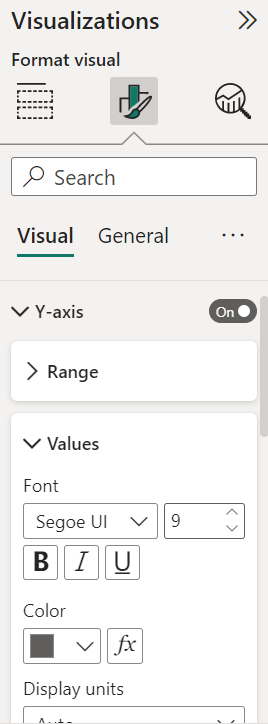
I didn't find any option in the values to scale the Y axis.
Check out the April 2026 Power BI update to learn about new features.
If you have recently started exploring Fabric, we'd love to hear how it's going. Your feedback can help with product improvements.
A new Power BI DataViz World Championship is coming this June! Don't miss out on submitting your entry.