cancel
Showing results for 
Search instead for 
Did you mean: 

Learn from the best! Meet the four finalists headed to the FINALS of the Power BI Dataviz World Championships! Register now

Reply
Anonymous
Not applicable

Need help creating custom Visual

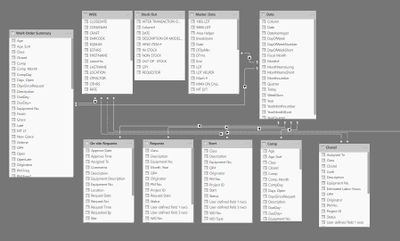
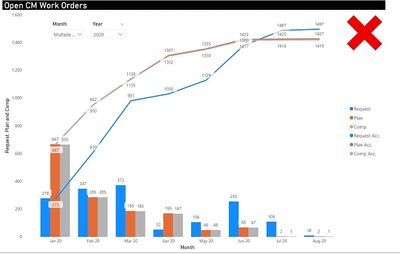
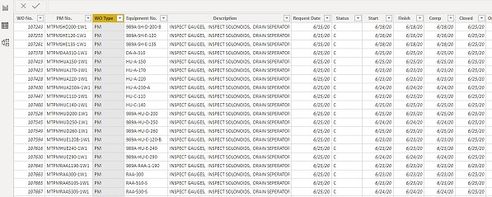
I am very new to power BI and have taught myself most everything I know by searching the internet but I have come across something I apparently do not understand because I have tried repeatedly to make this work. I have data from a work order system that has Request date, Start, Finish, Comp, and Closed dates. I have been requested to put the data in the format of the visual below. There are many types of work and this needs to be just the CM work type. In order to make this I have a Date table and have copied the table displayed 3 times and made relationships to each of the dates. Request Date, Start, Comp. I then am counting the dates and filtering the page to just CM work type but the data that is displayed is simply not correct. I very much would like to be ask anyone if they can help me out with this issue. Capture3.JPG


Capture.JPG


Capture2.JPG


0 REPLIES 0

Helpful resources

Announcements
Power BI DataViz World Championships carousel

Power BI DataViz World Championships - June 2026

A new Power BI DataViz World Championship is coming this June! Don't miss out on submitting your entry.

Join our Fabric User Panel

Join our Fabric User Panel

Share feedback directly with Fabric product managers, participate in targeted research studies and influence the Fabric roadmap.

March Power BI Update Carousel

Power BI Community Update - March 2026

Check out the March 2026 Power BI update to learn about new features.

Top Solution Authors
Top Kudoed Authors