Don't miss your chance to take the Fabric Data Engineer (DP-600) exam for FREE! Find out how by attending the DP-600 session on April 23rd (pacific time), live or on-demand.
Learn moreNext up in the FabCon + SQLCon recap series: The roadmap for Microsoft SQL and Maximizing Developer experiences in Fabric. All sessions are available on-demand after the live show. Register now
Hi community,
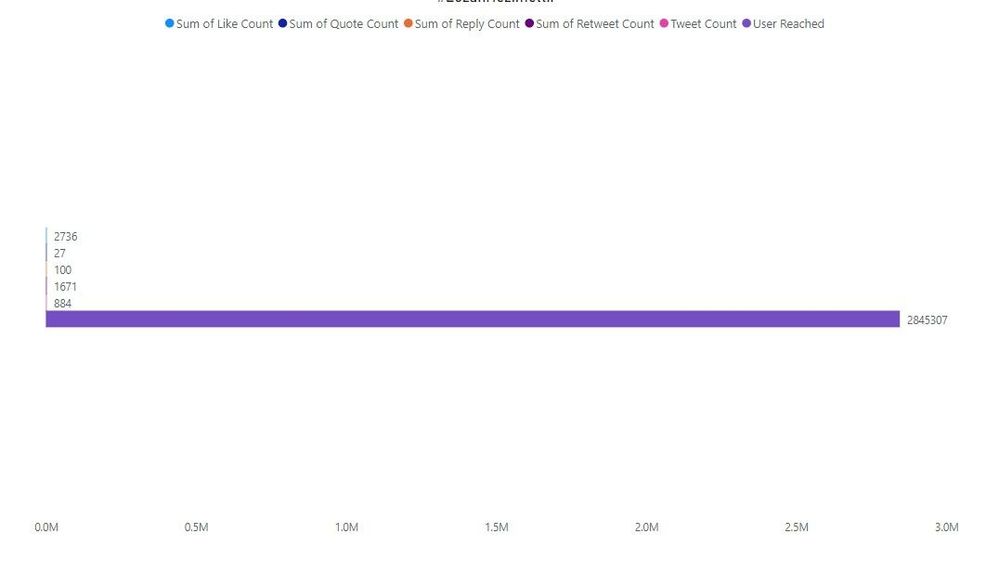
I'm using clustered bar chart for my project. Unfortunately, the numbers in the data have way different amounts. You can see it at below. How can I make the bar more balanced? Except for one bar as you can see is appeared, the other bars don't appear. I checked the forum out, but I couldn't any solution. On the other hand, I'm open to every suggestion to pick different graphic models.
Would a logarithmic X axis work for you?
Hey @lbendlin thank you. I need to use bar to show the results. I guess this is clear to show it.
If you have recently started exploring Fabric, we'd love to hear how it's going. Your feedback can help with product improvements.
A new Power BI DataViz World Championship is coming this June! Don't miss out on submitting your entry.
Experience the highlights from FabCon & SQLCon, available live and on-demand starting April 14th.