Join us at FabCon Atlanta from March 16 - 20, 2026, for the ultimate Fabric, Power BI, AI and SQL community-led event. Save $200 with code FABCOMM.
Register now!Learn from the best! Meet the four finalists headed to the FINALS of the Power BI Dataviz World Championships! Register now
Hi community,
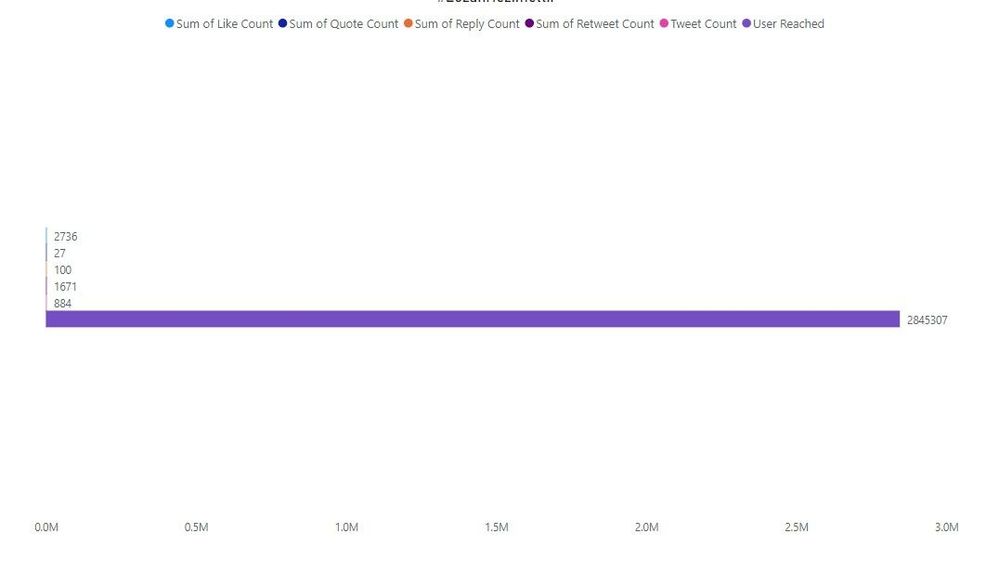
I'm using clustered bar chart for my project. Unfortunately, the numbers in the data have way different amounts. You can see it at below. How can I make the bar more balanced? Except for one bar as you can see is appeared, the other bars don't appear. I checked the forum out, but I couldn't any solution. On the other hand, I'm open to every suggestion to pick different graphic models.
Would a logarithmic X axis work for you?
Hey @lbendlin thank you. I need to use bar to show the results. I guess this is clear to show it.
Share feedback directly with Fabric product managers, participate in targeted research studies and influence the Fabric roadmap.
Check out the February 2026 Power BI update to learn about new features.