Join us at FabCon Atlanta from March 16 - 20, 2026, for the ultimate Fabric, Power BI, AI and SQL community-led event. Save $200 with code FABCOMM.
Register now!The Power BI Data Visualization World Championships is back! Get ahead of the game and start preparing now! Learn more
Hola
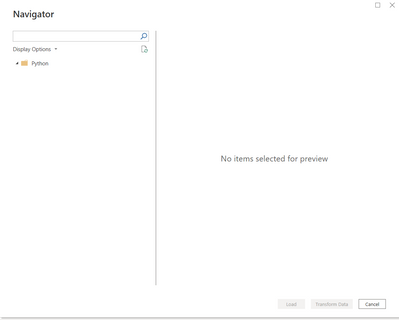
Estoy buscando un método para cargar varias imágenes con Python scipt en el escritorio de Power BI para crear un panel. No quiero seleccionar imágenes manualmente e importarlas. Aquí está mi código actual y el power bi no pudo reconocer la imagen. Estoy usando Get Data with Python Script. ¿Hay alguna manera de resolver este problema? ¿O hay algún método detallado alternativo para importar imágenes con script en Power BI?
import pandas as pd
import json
import matplotlib.pyplot as plt
import matplotlib.cbook as cbook
#ax=plt.gca()
with cbook.get_sample_data('D:/carapace/TableauChartDisplayTask/test.png') as image_file:
image=plt.imread(image_file)
fig, ax = plt.subplots()
fig.figimage(image)
#fig.figimage(image, 10, 10, zorder = 3, alpha =.5)
plt.title('matplotlib.pyplot.imread() function Example',
fontweight ="bold")
plt.show()
Y aquí está el resultado
Gracias
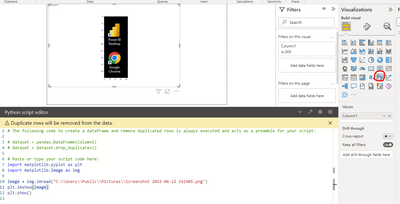
Debe usar el visual de Python en lugar del script de Python.
Saludos
Equipo de apoyo a la comunidad _ chenwu zhu
Si esta publicación ayuda, considere Aceptarla como la solución para ayudar a los otros miembros a encontrarla más rápidamente.
The Power BI Data Visualization World Championships is back! Get ahead of the game and start preparing now!