This time we’re going bigger than ever. Fabric, Power BI, SQL, AI and more. We're covering it all. You won't want to miss it.
Learn moreLevel up your Power BI skills this month - build one visual each week and tell better stories with data! Get started
Hola
Estoy buscando un método para cargar varias imágenes con Python scipt en el escritorio de Power BI para crear un panel. No quiero seleccionar imágenes manualmente e importarlas. Aquí está mi código actual y el power bi no pudo reconocer la imagen. Estoy usando Get Data with Python Script. ¿Hay alguna manera de resolver este problema? ¿O hay algún método detallado alternativo para importar imágenes con script en Power BI?
import pandas as pd
import json
import matplotlib.pyplot as plt
import matplotlib.cbook as cbook
#ax=plt.gca()
with cbook.get_sample_data('D:/carapace/TableauChartDisplayTask/test.png') as image_file:
image=plt.imread(image_file)
fig, ax = plt.subplots()
fig.figimage(image)
#fig.figimage(image, 10, 10, zorder = 3, alpha =.5)
plt.title('matplotlib.pyplot.imread() function Example',
fontweight ="bold")
plt.show()
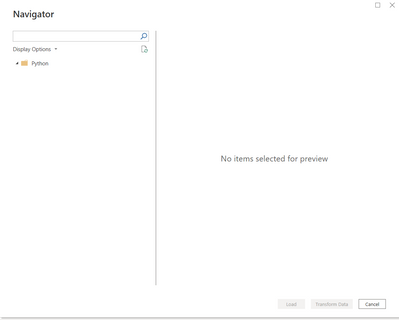
Y aquí está el resultado
Gracias
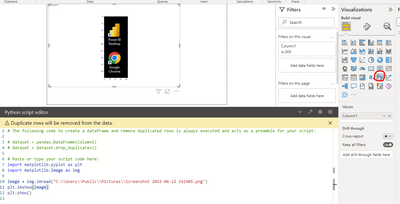
Debe usar el visual de Python en lugar del script de Python.
Saludos
Equipo de apoyo a la comunidad _ chenwu zhu
Si esta publicación ayuda, considere Aceptarla como la solución para ayudar a los otros miembros a encontrarla más rápidamente.
Check out the April 2026 Power BI update to learn about new features.
Sign up to receive a private message when registration opens and key events begin.
If you have recently started exploring Fabric, we'd love to hear how it's going. Your feedback can help with product improvements.