cancel
Showing results for 
Search instead for 
Did you mean: 

We've captured the moments from FabCon & SQLCon that everyone is talking about, and we are bringing them to the community, live and on-demand. Starts on April 14th. Register now

Reply
Mounika_10
New Member

undefined

I am getting problem with scheduled refresh while using csv files .

can anyone guide me to get solution .

1 ACCEPTED SOLUTION
v-yueyunzh-msft
Community Support
Community Support

 Hi, @Mounika_10 

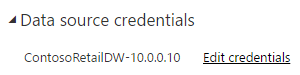
According to your case description, you want to configure scheduled refresh for the dataset of csv as the data source, for this case the data source is connected using Import mode, if you are connected to the local data source, you need to install the gateway to configure the data source credentials first:

Add or remove a gateway data source - Power BI | Microsoft Learn

If you are connected to a CSV data source on Cloud Drive, such as OneDrive or SharePoint, you can directly enter credentials on the service to connect to the successful data source and unlock the scheduled refresh of the dataset, you can refer to this document for details:

Configure scheduled refresh - Power BI | Microsoft Learn

vyueyunzhmsft_0-1673837593080.png


Thank you for your time and sharing, and thank you for your support and understanding of PowerBI! 


Best Regards,

Aniya Zhang

If this post helps, then please consider Accept it as the solution to help the other members find it more quickly

View solution in original post

2 REPLIES 2
v-yueyunzh-msft
Community Support
Community Support

 Hi, @Mounika_10 

According to your case description, you want to configure scheduled refresh for the dataset of csv as the data source, for this case the data source is connected using Import mode, if you are connected to the local data source, you need to install the gateway to configure the data source credentials first:

Add or remove a gateway data source - Power BI | Microsoft Learn

If you are connected to a CSV data source on Cloud Drive, such as OneDrive or SharePoint, you can directly enter credentials on the service to connect to the successful data source and unlock the scheduled refresh of the dataset, you can refer to this document for details:

Configure scheduled refresh - Power BI | Microsoft Learn

vyueyunzhmsft_0-1673837593080.png


Thank you for your time and sharing, and thank you for your support and understanding of PowerBI! 


Best Regards,

Aniya Zhang

If this post helps, then please consider Accept it as the solution to help the other members find it more quickly

pratyashasamal
Memorable Member
Memorable Member

Hi @Mounika_10 ,
Please let me know where is the .csv file located.
You can follow this link if the .csv file is located in SharePoint or Onedrive
https://learn.microsoft.com/en-us/power-bi/connect-data/refresh-csv-file-onedrive

You cannot schedule refresh on a dataset created from a comma delimited file .However, when the file is on OneDrive, or SharePoint Online, Power BI will synchronize any changes to the file with the dataset automatically about every hour.
Thanks ,
Pratyasha Samal 
Has this post solved your problem? Please Accept as Solution so that others can find it quickly and to let the community know your problem has been solved.
If you found this post helpful, please give Kudos C


Did I answer your question? Mark my post as a solution!

Proud to be a Super User!


Helpful resources

Announcements
New to Fabric survey Carousel

New to Fabric Survey

If you have recently started exploring Fabric, we'd love to hear how it's going. Your feedback can help with product improvements.

Power BI DataViz World Championships carousel

Power BI DataViz World Championships - June 2026

A new Power BI DataViz World Championship is coming this June! Don't miss out on submitting your entry.

Join our Fabric User Panel

Join our Fabric User Panel

Share feedback directly with Fabric product managers, participate in targeted research studies and influence the Fabric roadmap.

March Power BI Update Carousel

Power BI Community Update - March 2026

Check out the March 2026 Power BI update to learn about new features.

Top Solution Authors