cancel
Showing results for 
Search instead for 
Did you mean: 

The FabCon + SQLCon recap series starts April 14th at 8am Pacific. If you’re tracking where AI is going inside Fabric, this first session is a can't miss. Register now

Reply
mgradijan
Resolver I
Resolver I

existing dashboards not being listed when trying to pin visual

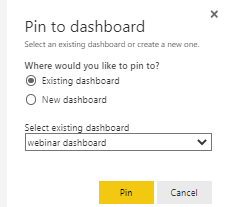
I uploaded a new report to the PBI service and when I go to pin a visual, the "select existing dashboard" drop down list does not list allof my existing dashboards.  It only lists a single dashboard.  

mgradijan_0-1664890967952.png


I have 7 dashboards that I should be able to choose from the dropdown list. 

Thanks.


1 ACCEPTED SOLUTION

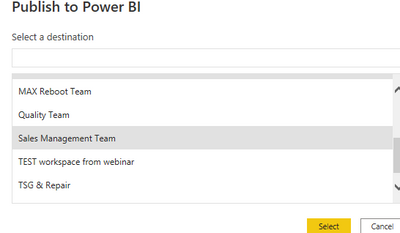
I chose Sales Management Team to publish to...

mgradijan_1-1664893800363.png


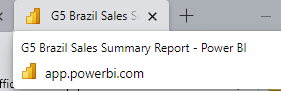
When the upload is successful, and I click on the link to show me dashboard, it opens in Service and when I hover over the tab, it says app.powerbi.com.  The visuals on that newly opened tab will only list the "webinar dashboard" option.   


mgradijan_2-1664894141071.png


I just found that if I close that tab, then open the power bi app directly in 365, choose and re-open the report I just imported, I can pin those visuals to the dashboard list that fully opens.  I guess I was expecting that when the desktop said "open the report" that it would allow me to work directly off of that without having to close and re-open in service.  


View solution in original post

6 REPLIES 6
mgradijan
Resolver I
Resolver I

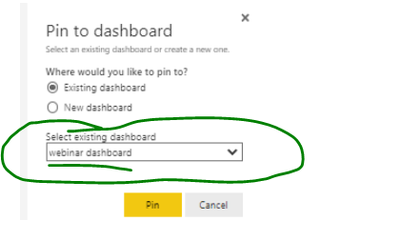
yes, they are all in the same workspace. 

mgradijan_0-1664892859166.png


aj1973
Community Champion
Community Champion

aj1973_0-1664893299065.png

I didn't see "webinar dashboard" in the workspace in the image you just sent!!!

Are you sure you are in the same wrokspace ?

Regards
Amine Jerbi

If I answered your question, please mark this thread as accepted
and you can follow me on
My Website, LinkedIn and Facebook

I chose Sales Management Team to publish to...

mgradijan_1-1664893800363.png


When the upload is successful, and I click on the link to show me dashboard, it opens in Service and when I hover over the tab, it says app.powerbi.com.  The visuals on that newly opened tab will only list the "webinar dashboard" option.   


mgradijan_2-1664894141071.png


I just found that if I close that tab, then open the power bi app directly in 365, choose and re-open the report I just imported, I can pin those visuals to the dashboard list that fully opens.  I guess I was expecting that when the desktop said "open the report" that it would allow me to work directly off of that without having to close and re-open in service.  


aj1973
Community Champion
Community Champion

So is your issue solved?

Regards
Amine Jerbi

If I answered your question, please mark this thread as accepted
and you can follow me on
My Website, LinkedIn and Facebook

It is solved, but not the most efficient way to pin visuals to a dashboard.  Thank you for the help.

aj1973
Community Champion
Community Champion

Hi @mgradijan 

Are all of the 7 dashboards located in the same workspace?

Regards
Amine Jerbi

If I answered your question, please mark this thread as accepted
and you can follow me on
My Website, LinkedIn and Facebook

Helpful resources

Announcements
New to Fabric survey Carousel

New to Fabric Survey

If you have recently started exploring Fabric, we'd love to hear how it's going. Your feedback can help with product improvements.

Power BI DataViz World Championships carousel

Power BI DataViz World Championships - June 2026

A new Power BI DataViz World Championship is coming this June! Don't miss out on submitting your entry.

Join our Fabric User Panel

Join our Fabric User Panel

Share feedback directly with Fabric product managers, participate in targeted research studies and influence the Fabric roadmap.

March Power BI Update Carousel

Power BI Community Update - March 2026

Check out the March 2026 Power BI update to learn about new features.

Top Solution Authors