cancel
Showing results for 
Search instead for 
Did you mean: 

Join the FabCon + SQLCon recap series. Up next: Power BI, Real-Time Intelligence, IQ and AI, and Data Factory take center stage. All sessions are available on-demand after the live show. Register now

Reply
Anonymous
Not applicable

custom R visual - heat map using plot.ly

Hi,


I created a custom R visual using this method: https://github.com/microsoft/PowerBI-visuals/blob/master/RVisualTutorial/CreateRHTML.md


The goal of this visual is to be able to create a heat map with customized colormap (I use plotly R library).


The code from r.script file:


source('./r_files/flatten_HTML.r')
 
############### Library Declarations ###############
libraryRequireInstall("ggplot2");
libraryRequireInstall("plotly")
####################################################
 
################### Actual code ####################
colscale = list(c(0, "rgb(192,0,0)"),list(0.5, "rgb(255,255,0)"),list(1, "rgb(111,168,219)"))


g <- plot_ly(z = volcano, type = "heatmap", colorscale = colscale, autocolorscale = FALSE)
####################################################
 
############# Create and save widget ###############
p = ggplotly(g);
internalSaveWidget(p, 'out.html');
####################################################

I use custom colorscale 

colscale = list(c(0, "rgb(192,0,0)"),list(0.5, "rgb(255,255,0)"),list(1, "rgb(111,168,219)"))

so the colors should be from red to yellow and blue.


Everything works fine in Power BI desktop: I have the colors I wanted: 
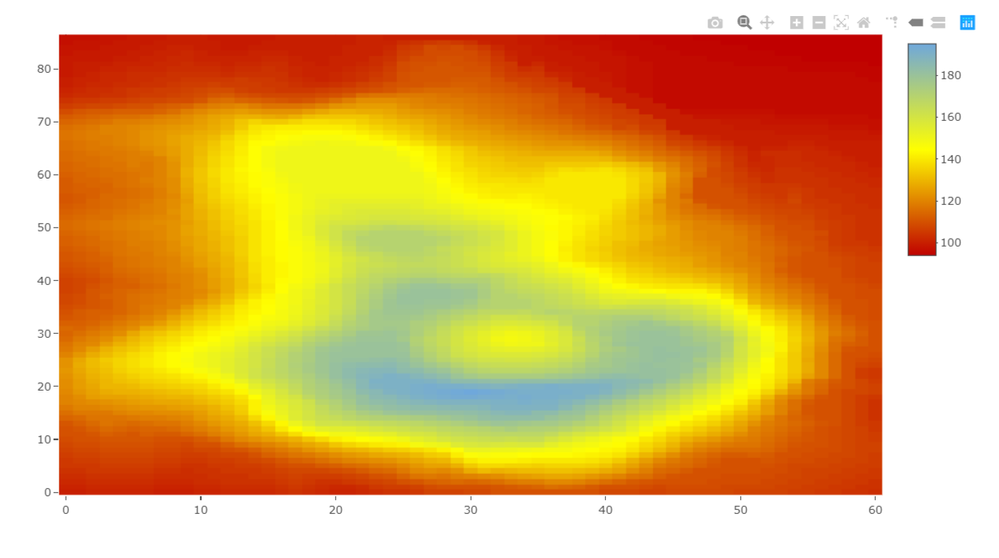
 

image.png

But when I upload the file to Power BI service, the custom colormap does not work. My Heat map looks like this:
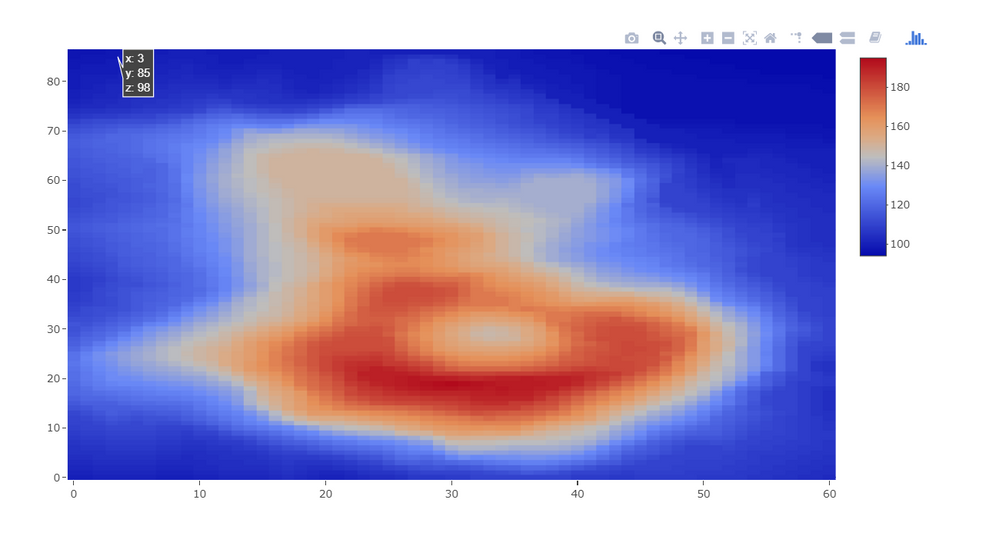
 

image.png


Do you know what might be the reason, why the colors are diffrent in Power BI servcie?

4 REPLIES 4
mike1337
Frequent Visitor

Hi @v-xicai do you perhaps have any updates on that? I am facing the same problem. A custom R plotly visual with cusotm colors coded in R usign RGB formats is working fine on Power BI Desktop but once published to Power BI Service--the colours are all wrong.


Thanks!


Mike

v-xicai
Community Support
Community Support

Hi  ,


Does that make sense? If so, kindly mark the proper reply as a solution to help others having the similar issue and close the case. If not, let me know and I'll try to help you further.


Best regards

Amy

v-xicai
Community Support
Community Support

Hi @Anonymous ,


You may try to use personal data gateway instead of enterprise data gateway (on premise data gateway). Currently, R scripts are supported for personal gateway but not enterprise gateway.


Or you may try to upgrade the gateway to the latest version.


If you still have this issue for Power BI, you'd better create a support ticket in Power BI Support to get further help.


Best Regards,

Amy


If this post helps, then please consider Accept it as the solution to help the other members find it more quickly.


Anonymous
Not applicable

Hi,

Thanks for reply.

This issue isn´t related to the data gateway.


I created a support ticket in Power BI Team.

I also create a github issue https://github.com/microsoft/PowerBI-visuals/issues/560


I will update this thread when the issue is resolved.

Helpful resources

Announcements
April Power BI Update Carousel

Power BI Monthly Update - April 2026

Check out the April 2026 Power BI update to learn about new features.

New to Fabric survey Carousel

New to Fabric Survey

If you have recently started exploring Fabric, we'd love to hear how it's going. Your feedback can help with product improvements.

Power BI DataViz World Championships carousel

Power BI DataViz World Championships - June 2026

A new Power BI DataViz World Championship is coming this June! Don't miss out on submitting your entry.

FabCon and SQLCon Highlights Carousel

FabCon &SQLCon Highlights

Experience the highlights from FabCon & SQLCon, available live and on-demand starting April 14th.