cancel
Showing results for 
Search instead for 
Did you mean: 

The Power BI Data Visualization World Championships is back! Get ahead of the game and start preparing now! Learn more

Reply
Anonymous
Not applicable

Windows Authentication

My refresh stopped suddenly working. Dashboard is coming from one data source (connection to sql server) using windows authentication.


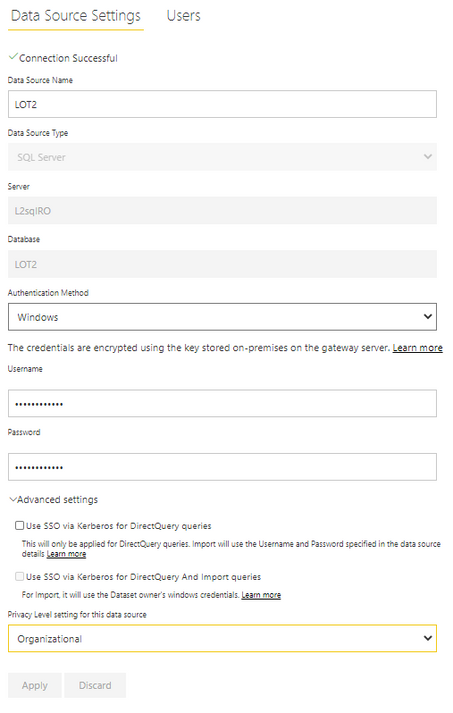
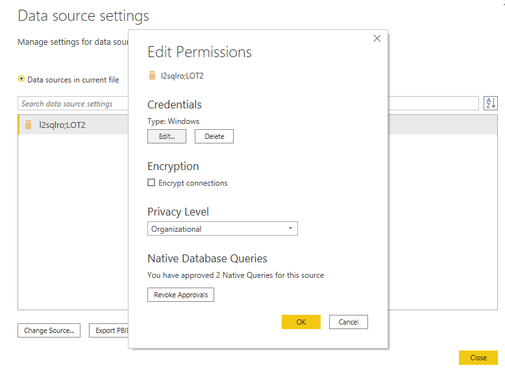
I'm using same windows credentials in my sql server as in data source settings below:

Capture.PNG


My connection in power bi desktop:

Capture.PNG

 Connection in power bi service seems to be set up just fine:

Capturee.PNG


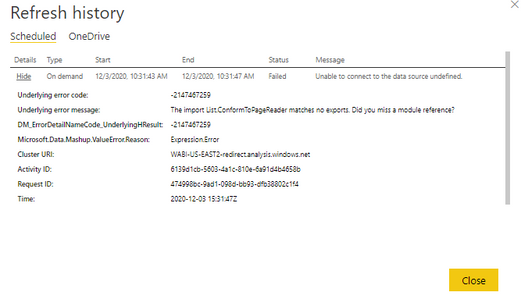
I can refresh a dashboard locally in power bi desktop. However, refresh stopped working in power bi service and I get the following error:

Capture.PNG


Any suggestions? This data source (sql server) is the only source that stopped working and is using windows authentication. In the same cgateway cluster, I have connection to 5 other data sources, all databases and they all have been working fine.

1 ACCEPTED SOLUTION
collinq
Super User
Super User

Hi @Anonymous ,


My first thought is as to whether or not you have updated the gateway.  I know that a lot of folks have had to recently update their gateway as they have gotten stale and the newer gateways have more capability and some more functionality.


I would appreciate Kudos if my response was helpful. I would also appreciate it if you would Mark this As a Solution if it solved the problem. Thanks!


Did I answer your question? Mark my post as a solution!

Proud to be a Datanaut!
Private message me for consulting or training needs.


View solution in original post

2 REPLIES 2
collinq
Super User
Super User

Hi @Anonymous ,


My first thought is as to whether or not you have updated the gateway.  I know that a lot of folks have had to recently update their gateway as they have gotten stale and the newer gateways have more capability and some more functionality.


I would appreciate Kudos if my response was helpful. I would also appreciate it if you would Mark this As a Solution if it solved the problem. Thanks!


Did I answer your question? Mark my post as a solution!

Proud to be a Datanaut!
Private message me for consulting or training needs.


Anonymous
Not applicable

@collinq 

Yeah, I updated my standard gateway on VM and it works now. Thank you.

Helpful resources

Announcements
Power BI DataViz World Championships

Power BI Dataviz World Championships

The Power BI Data Visualization World Championships is back! Get ahead of the game and start preparing now!

December 2025 Power BI Update Carousel

Power BI Monthly Update - December 2025

Check out the December 2025 Power BI Holiday Recap!

FabCon Atlanta 2026 carousel

FabCon Atlanta 2026

Join us at FabCon Atlanta, March 16-20, for the ultimate Fabric, Power BI, AI and SQL community-led event. Save $200 with code FABCOMM.