Get certified for free when you join Fabric Data Days 2026 and dive into Fabric, Power BI, SQL, AI, and other essential data skills.
Join nowData Days is here! Join us now for 60+ days of learning, challenges, and connection. Learn more
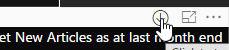
When using the desktop version, if I hover over the options for a visual (Export data, Drill Up, Focus mode, etc.) they have a white background.
In the embedded version there is no white background so the buttons are invisible (our report background is black).
Is it possible to allow for the white background in embedded? Or to change the colour of the visual options buttons?
Solved! Go to Solution.
Hi @HedleyJackson,
I could reproduce this behaviour in my environment. Unfortunately, it is not supported to the set the background color of the visual option buttons. You could sumbit this as an idea to Microsoft at below link, your feedback is valuable for us to improve our products and service:
https://ideas.powerbi.com/forums/265200-power-bi-ideas?query=multiple%20values%20into%20line%20chart
Regards,
Yuliana Gu
Hi @HedleyJackson,
I could reproduce this behaviour in my environment. Unfortunately, it is not supported to the set the background color of the visual option buttons. You could sumbit this as an idea to Microsoft at below link, your feedback is valuable for us to improve our products and service:
https://ideas.powerbi.com/forums/265200-power-bi-ideas?query=multiple%20values%20into%20line%20chart
Regards,
Yuliana Gu
Don't miss out on Data Days, June 15 through August 7. Learn Fabric, Power BI, SQL, AI and more.
Check out the May 2026 Power BI update to learn about new features.
| User | Count |
|---|---|
| 16 | |
| 10 | |
| 10 | |
| 8 | |
| 7 |
| User | Count |
|---|---|
| 41 | |
| 36 | |
| 36 | |
| 28 | |
| 20 |