Join us at FabCon Atlanta from March 16 - 20, 2026, for the ultimate Fabric, Power BI, AI and SQL community-led event. Save $200 with code FABCOMM.
Register now!The Power BI Data Visualization World Championships is back! Get ahead of the game and start preparing now! Learn more
Hello,
I am noticing something frustrating in Power BI. While designing a report in Desktop, you are able to select "use modern visual headers" to hide the annoying visual header that consumes so much space. You can then successfully publish the report to the service and it displays nicely. However, if you attempt to create a new report on the service from an existing dataset, there seems to be no way to disable the annoying visual header.
At our organization, one user group produces certified datasets to allow other groups to design reports in the service. It is much faster and more efficient. Am I missing something here?
Thanks in advance!
Michael
Solved! Go to Solution.
Hi @Anonymous ,
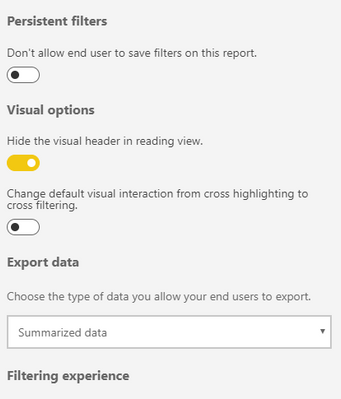
You could go into the Report Settings in the Power BI Service and toogle the settings you require as shown below.
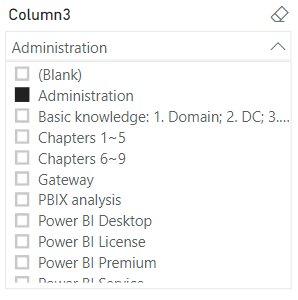
Here is the result.
Hi @Anonymous ,
You could go into the Report Settings in the Power BI Service and toogle the settings you require as shown below.
Here is the result.
The Power BI Data Visualization World Championships is back! Get ahead of the game and start preparing now!
| User | Count |
|---|---|
| 55 | |
| 50 | |
| 43 | |
| 16 | |
| 15 |