cancel
Showing results for 
Search instead for 
Did you mean: 

The Power BI Data Visualization World Championships is back! Get ahead of the game and start preparing now! Learn more

Reply
netanel
Post Prodigy
Post Prodigy

Usage Metrics Report

I have a Usage matrics report
But it is Report inside Workspace (I don't have to do anything, it's there all the time)
I inherited it from someone who left the company
But the report stopped refreshing
I search everywhere and I can't find its connection and how to refresh it again
I tried the usual things

netanel_0-1681626396556.png


Did I answer your question?
Mark my post as a solution!
Appreciate your Kudos!

Connect on Linkedin
linkedin.com/in/netanel-shriki
2 REPLIES 2
netanel
Post Prodigy
Post Prodigy

Hi @connect 
Thanks,
From a big search on that issue, it really seems that there is a problem with usage matric reports at the moment and it is not possible to create a new and updated report and set it as a report in Workspace
I know option 2 and will probably do it myself
Thanks anyway!


Did I answer your question?
Mark my post as a solution!
Appreciate your Kudos!

Connect on Linkedin
linkedin.com/in/netanel-shriki
connect
Resolver I
Resolver I

You can delete this report and create new. Also, switch on the "new usaage report" format as shown below:

Screenshot 2023-04-16 at 10.10.31 AM.png


Please note that you won't be able to find it as of now, no matter whether you use classic or "New Usage Report" format. 
You'll always encounter the following message when you'll try to view the dataset of the usage metrics report:
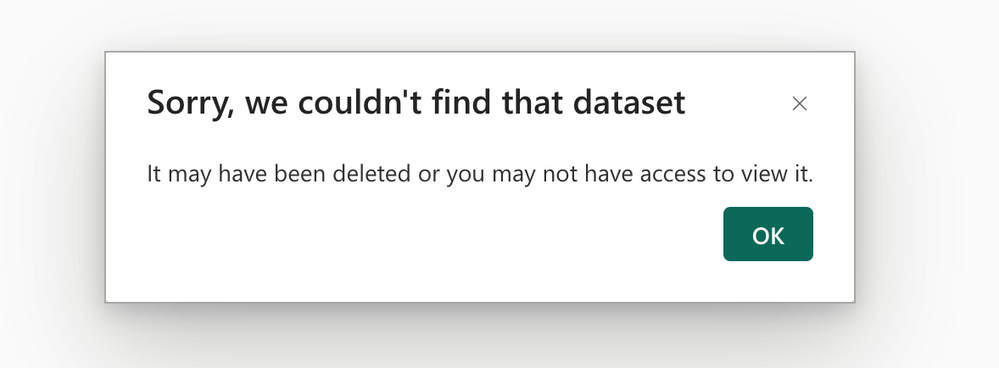
Screenshot 2023-04-16 at 10.11.13 AM.png

As far as I know, recently Microsoft Power BI Portal were running some issues regarding usage metrics which they somehow fixed but I believe they have turned of certain features like viewing dataset of the usage metrics reports.

Solution: 

There are two possible solutions if you would like to build in-house Power BI Audit report capabilities: 

1) View Usage Metrics reports on Power BI Admin Portal (see image below)
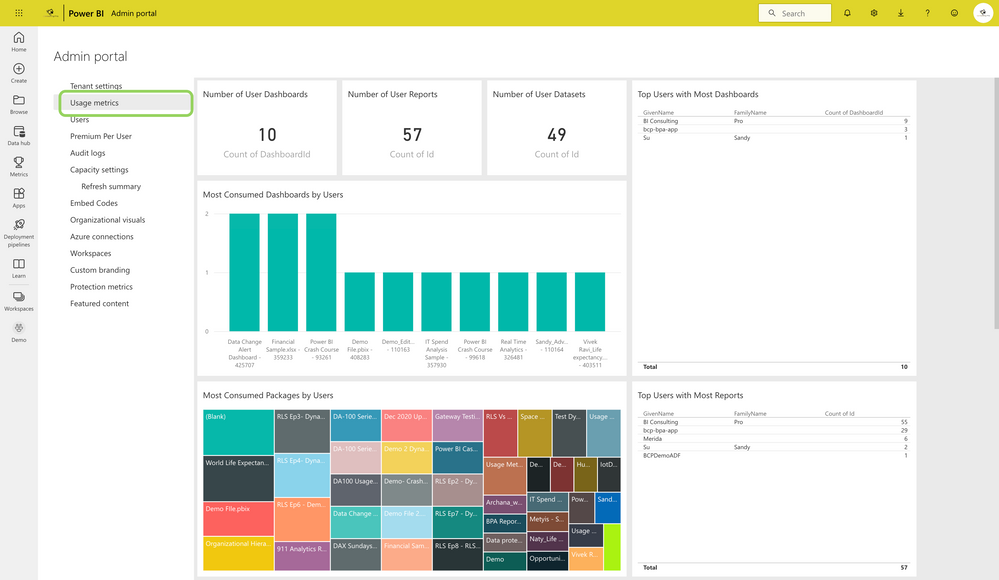
 

Screenshot 2023-04-16 at 10.31.05 AM.png

2) Recommended one: Use PowerShell script and download all the Power BI Audit Data. Also, you can incrementally store this anywhere you would like and create your own report. I have created for my own organization. 


So, my recommendation is to work for the option 2. this would initially takes time but once done, you can monitor your whole Power BI tenant. 

Helpful resources

Announcements
Power BI DataViz World Championships

Power BI Dataviz World Championships

The Power BI Data Visualization World Championships is back! Get ahead of the game and start preparing now!

December 2025 Power BI Update Carousel

Power BI Monthly Update - December 2025

Check out the December 2025 Power BI Holiday Recap!

FabCon Atlanta 2026 carousel

FabCon Atlanta 2026

Join us at FabCon Atlanta, March 16-20, for the ultimate Fabric, Power BI, AI and SQL community-led event. Save $200 with code FABCOMM.