cancel
Showing results for 
Search instead for 
Did you mean: 

Next up in the FabCon + SQLCon recap series: The roadmap for Microsoft SQL and Maximizing Developer experiences in Fabric. All sessions are available on-demand after the live show. Register now

Reply
Anonymous
Not applicable

Time Intelligence Help

Hello guys,


So I'm trying to use Time Intelligence and I am getting this error.


"Time intelligence quick measures can only be grouped or filtered by the Power BI-provided date hierarchy or primary date column."
 
The column I use is Data Type: Date, and based on other questions I also changed the date value to UK format with no change. Here is the sample code to see if there is something else wrong;
 
Total Gross Margin MoM% =
IF(
ISFILTERED('Table'[Date Column]),
 
ERROR("Time intelligence quick measures can only be grouped or filtered by the Power BI-provided date hierarchy or primary date column."),
 
VAR __PREV_MONTH = CALCULATE( [Calculated Measure], DATEADD( 'Table'[Date Column].[Date], -1, MONTH 
 
RETURN
        DIVIDE([Calculated Measure] - __PREV_MONTH, __PREV_MONTH)
 
Untitled.jpg
 
 
4 REPLIES 4
GilbertQ
Super User
Super User

Hi there

It would appear that your date table does not have a unique Date column?

Or that Power BI cannot create it's own date table due to settings in the PBIX


Here is where you can confirm the setting under Options in the PBIX

image.png


Did I answer your question? Mark my post as a solution!

Proud to be a Super User!


Power BI Blog

Anonymous
Not applicable

I already have that option enabled in my settings. No change.


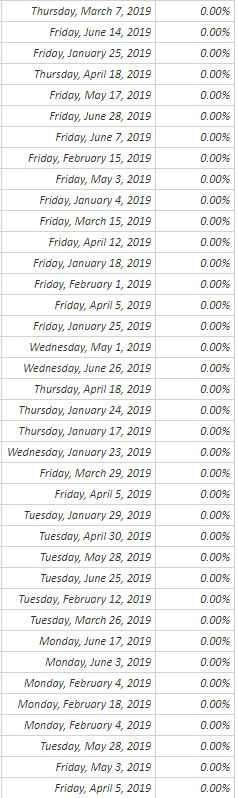
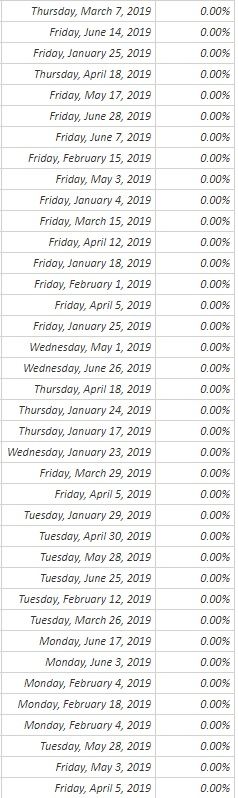
This is how the data is organized


Untitled.jpg

Anonymous
Not applicable

Do I need to create a separate Date Table in the dashboard?

Hi there

Yes to use Time Intelligence you need a date table that has got a date for every day, even if your data does not have data for every date.

You can use my blog post here to create the date table: https://www.fourmoo.com/2016/09/13/power-bi-how-to-easily-create-dynamic-date-tabledimension-with-fi...

Once you have the Date table, you can then use the Time Intelligence features.


Did I answer your question? Mark my post as a solution!

Proud to be a Super User!


Power BI Blog

Helpful resources

Announcements
New to Fabric survey Carousel

New to Fabric Survey

If you have recently started exploring Fabric, we'd love to hear how it's going. Your feedback can help with product improvements.

Power BI DataViz World Championships carousel

Power BI DataViz World Championships - June 2026

A new Power BI DataViz World Championship is coming this June! Don't miss out on submitting your entry.

Join our Fabric User Panel

Join our Fabric User Panel

Share feedback directly with Fabric product managers, participate in targeted research studies and influence the Fabric roadmap.

March Power BI Update Carousel

Power BI Community Update - March 2026

Check out the March 2026 Power BI update to learn about new features.