Get certified for free when you join Fabric Data Days 2026 and dive into Fabric, Power BI, SQL, AI, and other essential data skills.
Join nowJuly 7 - July 17 | Round 2 of the Power BI Dataviz World Championships. Don't miss your chance! Learn more
Hi,
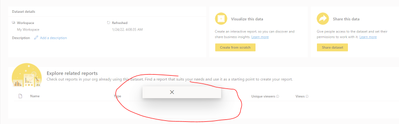
When I try to share a dataset I get an X without any information. Has anyone had any similar situations?
Hi @PowerBIIE ,
Can you share more details? Which option did you click on when this happened?
Best Regards,
Jay
try going to the workspace look for the dataset and in the option menu select the manage permits option of the menu
Proud to be a Super User!
I tried that didn't work
this happening with all dataset or just that one? try deleting and re publishing the dataset maybe, or load a new one and see if the share works
Proud to be a Super User!
Join us in Barcelona for FabCon and SQLCon, the Fabric, Power BI, SQL, and AI community event. Save €200 with code FABCMTY200.
Join Fabric Data Days 2026: 60 days of free live/on-demand sessions, challenges, study groups, and certification opportunities.
| User | Count |
|---|---|
| 16 | |
| 13 | |
| 8 | |
| 8 | |
| 5 |
| User | Count |
|---|---|
| 29 | |
| 29 | |
| 27 | |
| 25 | |
| 24 |