Join us at FabCon Atlanta from March 16 - 20, 2026, for the ultimate Fabric, Power BI, AI and SQL community-led event. Save $200 with code FABCOMM.
Register now!The Power BI Data Visualization World Championships is back! Get ahead of the game and start preparing now! Learn more
Hi all,
I'm trying to set up groups to share Power BI reports and Apps. I decided to use Office 365 groups instead of Security groups because I can let other users without access to Azure Groups to manage O365 groups from Outlook or Teams.
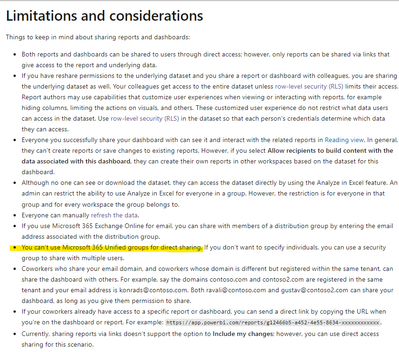
I was able to share Workspaces, datasets and Apps with O365 groups, but I can't share reports? What's the reason for this?
Please refrain from suggesting to share reports via PBI Apps.
Any information would be much appreciated,
NAOS
Agreed that the ability to share with o365 Unified Groups is a business necessity (requiring a workaround). Not sure about OP, but there are often cases where access to the underlying workspace is not appropriate but an individual report needs to be shared. Agreed that an app is also not preferable, as this set of users is a minority versus the overall users who have access to the workspace (and may need or already have an app).
Not sure if you have found a solution to this.
Here is what I do.
1) share the workspace with the "O365" group first
2) share the reports (adjust the permisions)
Hi @v-xiaotang ,
That's a shame. Maintaining Security groups is a hassle compared to maintaining MS 365 groups. If I want to share a report with a Team's team, which is in turn a MS 365 group, I have to create and maintain another Security group for the report? I thought the whole point of unifying the MS platforms around MS groups was to avoid this...
Not all users get access to Security groups either, so that's not really a great solution if you want to give users control over their groups.
Hi @NAOS
Kindly note,
Best Regards,
Community Support Team _Tang
If this post helps, please consider Accept it as the solution to help the other members find it more quickly.
Check out the November 2025 Power BI update to learn about new features.
Advance your Data & AI career with 50 days of live learning, contests, hands-on challenges, study groups & certifications and more!