Join us at FabCon Atlanta from March 16 - 20, 2026, for the ultimate Fabric, Power BI, AI and SQL community-led event. Save $200 with code FABCOMM.
Register now!Learn from the best! Meet the four finalists headed to the FINALS of the Power BI Dataviz World Championships! Register now
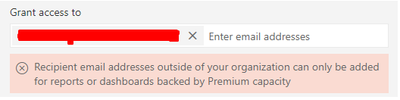
Can't share a dataset with a user, they are using a pro license as am I. I get the following error when trying to add a user:
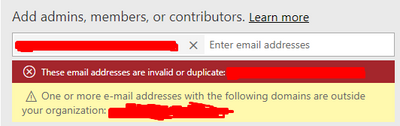
I also tried creating a new Workspace and re-published the dataset to this, but couldn’t add the user there either:
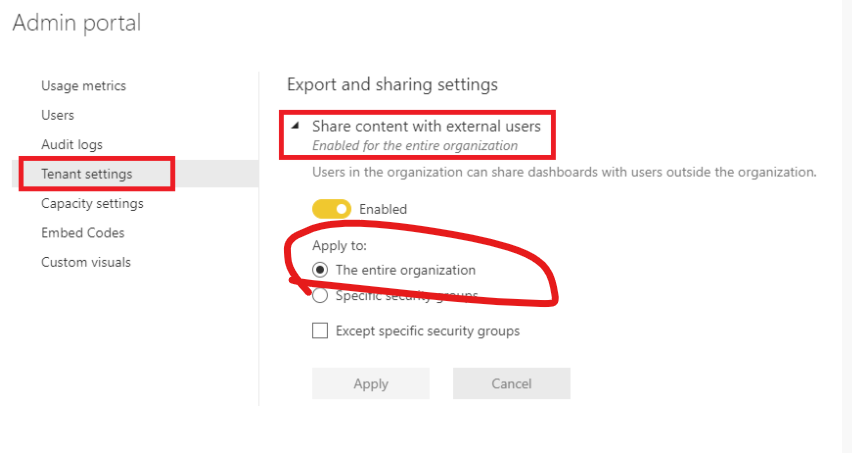
The admin setting 'allow external shares' or something like that is on.
Solved! Go to Solution.
Hi, @HW31
Make sure you have applied it to entire organization.
You also need to check the Azure AD B2B external collaboration settings .
Please check if solution in these related thread work for you.
https://community.powerbi.com/t5/Service/Sharing-outside-of-organization-what-am-I-missing/m-p/61991...
https://community.powerbi.com/t5/Service/These-email-addresses-re-invalid-or-duplicate/m-p/823433
https://community.powerbi.com/t5/Service/Can-t-share-report-outside-my-organization/m-p/717861
Best Regards,
Community Support Team _ Eason
Hi, @HW31
Make sure you have applied it to entire organization.
You also need to check the Azure AD B2B external collaboration settings .
Please check if solution in these related thread work for you.
https://community.powerbi.com/t5/Service/Sharing-outside-of-organization-what-am-I-missing/m-p/61991...
https://community.powerbi.com/t5/Service/These-email-addresses-re-invalid-or-duplicate/m-p/823433
https://community.powerbi.com/t5/Service/Can-t-share-report-outside-my-organization/m-p/717861
Best Regards,
Community Support Team _ Eason
Share feedback directly with Fabric product managers, participate in targeted research studies and influence the Fabric roadmap.
Check out the February 2026 Power BI update to learn about new features.