cancel
Showing results for 
Search instead for 
Did you mean: 

The Power BI Data Visualization World Championships is back! It's time to submit your entry. Live now!

Reply
Anonymous
Not applicable

Security

Hi,


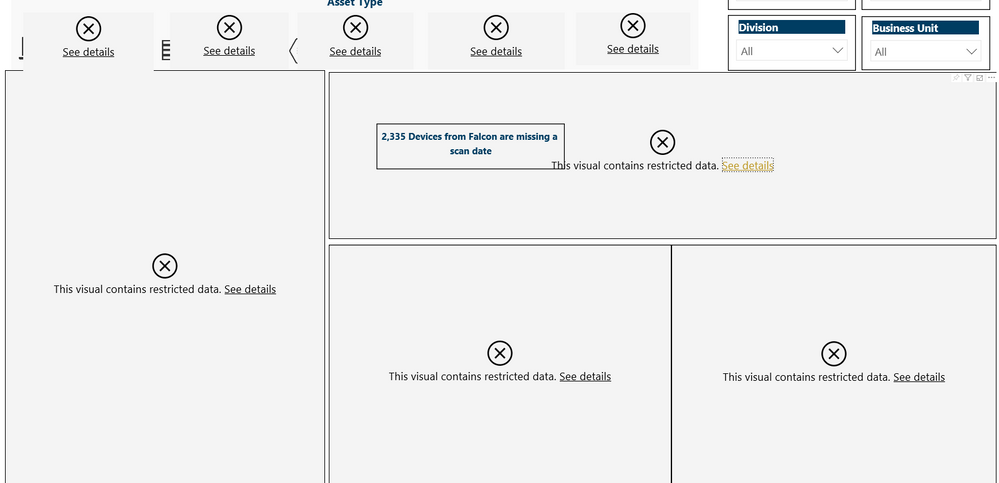
We published a Power BI dashboard from desktop to Pro. However, when we are sharing the desktop with other users within the organization- they are unable to see the visuals. 

Example - Dashboard.PNG

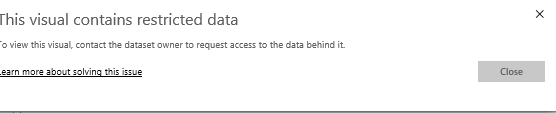
When they click on 'See Details' this is the error message they are receiving:

Error Message.PNG


Any thoughts on what is going on here?

4 REPLIES 4
Anonymous
Not applicable

Hi @Anonymous,

Whether your problem has been resolved?

Best Regards

Rena

Anonymous
Not applicable

Hi @Anonymous ,

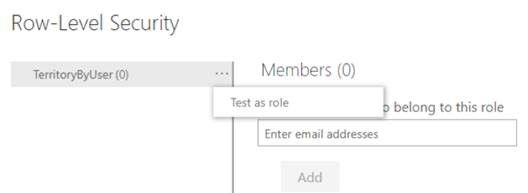
It seems that the report was applied RLS,however these shared users  have not been added into RLS role, hence got this error message. Please contact the report creator and request him to add these users into the role in Power BI Serive by the following steps:

1. Find the related dataset of the report

2. Select the ellipse (…) for the dataset, then click “Security

    RLS3.JPG

    RLS2.JPG

Best Regards

Rena


GilbertQ
Super User
Super User

Hi there

From your image Row Level Security has been applied.

If you could contact the report developer and ask them to add the relevant people.


Did I answer your question? Mark my post as a solution!

Proud to be a Super User!


Power BI Blog

TomMartens
Super User
Super User

Hey @Anonymous ,


I'm wondering what you mean by publish to PRO.

I guess you are referring to a workspace that is not inside a Premium capacity?


My question, how do the users access the content:

  • are the users accessing the content of the workspace
    • is the dataset a live connection and users do not have access to the data source
  • did you publish the content of the workspace to a Power BI App 
    • does the dataset use RLS

Can you share some more details how the sharing is happening


Regards,

Tom


Did I answer your question? Mark my post as a solution, this will help others!

Proud to be a Super User!
I accept Kudos 😉
Hamburg, Germany

Helpful resources

Announcements
Power BI DataViz World Championships

Power BI Dataviz World Championships

The Power BI Data Visualization World Championships is back! It's time to submit your entry.

January Power BI Update Carousel

Power BI Monthly Update - January 2026

Check out the January 2026 Power BI update to learn about new features.

FabCon Atlanta 2026 carousel

FabCon Atlanta 2026

Join us at FabCon Atlanta, March 16-20, for the ultimate Fabric, Power BI, AI and SQL community-led event. Save $200 with code FABCOMM.