Join us at FabCon Atlanta from March 16 - 20, 2026, for the ultimate Fabric, Power BI, AI and SQL community-led event. Save $200 with code FABCOMM.
Register now!Get Fabric Certified for FREE during Fabric Data Days. Don't miss your chance! Request now
I'm trying to create an account review, where you can select the account by filtering.
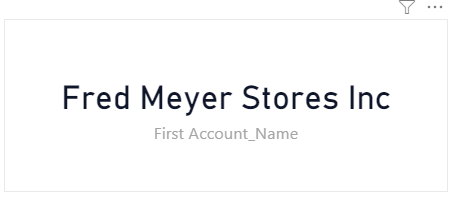
Is there a way to remove the field name from the card visual? I haven't been able to find it in formating. Additionally, when I add the field to the card, the description changes from it's original name. For example the field should be "Account_Name" but when I add it to the card visual, it changes to "First Account_Name"
Field Name in Card Visual
Solved! Go to Solution.
Hi @Anonymous
You can do it one of 2 ways.
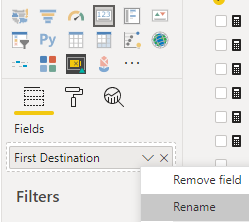
The first one is to right click on the column name and select Rename
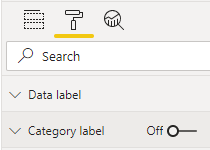
The second option is to go into the painter (formatting properties and toggle the Category Label to off
Hi @Anonymous
You can do it one of 2 ways.
The first one is to right click on the column name and select Rename
The second option is to go into the painter (formatting properties and toggle the Category Label to off
Check out the November 2025 Power BI update to learn about new features.
Advance your Data & AI career with 50 days of live learning, contests, hands-on challenges, study groups & certifications and more!