Learn from the best! Meet the four finalists headed to the FINALS of the Power BI Dataviz World Championships! Register now
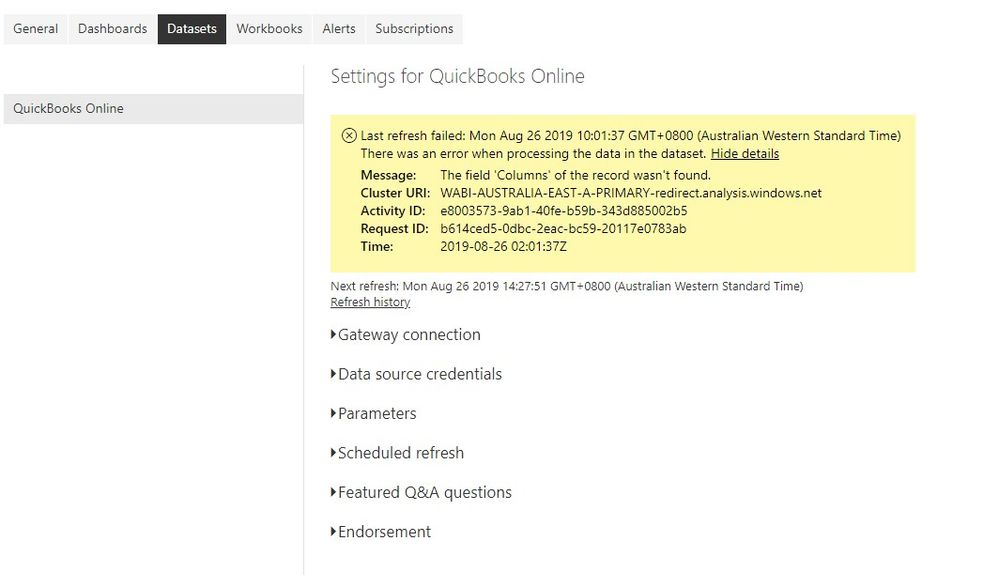
I have just installed the quickbooks app in 'power bi as a service' and when I go to the dashboard I just have a whole lots of blank boxes and an error at the top saying "Couldn't load the data for this visual".
I live in Australia and use Quickbooks Australia.
Would be correct in guessing that the US and AUS versions of quickbooks are different and that this report is only designed to get tables from the USA quickbooks databases hence why everything is blank.
(yes the account I sign into quickbooks with is the admin of quickbooks)
Dashboard
App Settings
Solved! Go to Solution.
It checked this morning and it is all working.
When installed it I left it for about 6 hours and it wasn't working. Maybe it has a long sync time.
So all good now.
hi, @FourSide
You might need to check the relationship between the two tables in the data source.
and if you could use power bi desktop to connect to Quickbooks to see if it works well.
Best Regards,
Lin
It checked this morning and it is all working.
When installed it I left it for about 6 hours and it wasn't working. Maybe it has a long sync time.
So all good now.
If you have recently started exploring Fabric, we'd love to hear how it's going. Your feedback can help with product improvements.
A new Power BI DataViz World Championship is coming this June! Don't miss out on submitting your entry.
Share feedback directly with Fabric product managers, participate in targeted research studies and influence the Fabric roadmap.