This is best Fabric, Power BI, SQL and AI community event. How do we know? The last event sold out! Save €200 with code FABCMTY200.
Register nowA new Data Days event is coming soon! This time we’re going bigger than ever. Fabric, Power BI, SQL, AI and more. Don't miss out.
Hi all
We build a “Gateway Cluster” (with one Gateway) pointing to a SQL DB in another Azure subscription (the connection is successful!)
We want to connect a PowerBI report “Data Set” to this gateway so we could refresh and see its’ data.
Please advice how?
P.S
I already tried connecting this via the PowerBI desktop but did not see it there
Thank you!
Hi @Anonymous,
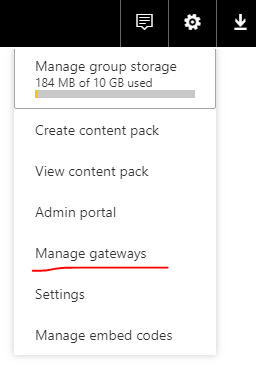
Do you create a data source points to SQL Server database in Manage Gateways?
If it is, you can go to Dataset Settings page and configure the dataset to use this gateway, then you can turn on schedule refresh. See: https://docs.microsoft.com/en-us/power-bi/refresh-scheduled-refresh
Best Regards,
Qiuyun Yu
Yes, I created the Gateway pointing to a MS SQL DB (2014) and the connection was successful (I saw it was ok via the "Managed GateWays" option), but the problem remain as I can't connect the data set to the gateway
Hi @Anonymous,
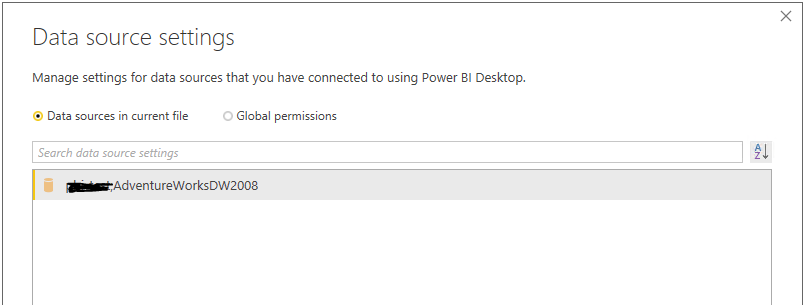
Please open the report in desktop, go to Data Source Settings, check is there any other data source used in the report except the SQL database.
All data sources found in the Data source settings above needs to be created in Manage Gateways section on Power BI service. Ensure the connection information eg: server name, database name are the exact same. See: https://docs.microsoft.com/en-us/power-bi/service-gateway-enterprise-manage-sql
Best Regards,
Qiuyun Yu
Yes, done all that, and I followed the steps in the doc, but the problem remain.
locally i can refresh the report/ data set successfuly.
After uploading it to the PowerBI web site the refresh failed (I re created all the steps for a new source also)
thanks
Hi @Anonymous,
You can find detail error message in gateway logs: https://docs.microsoft.com/en-us/power-bi/service-gateway-onprem-tshoot#tools-for-troubleshooting
Are you able to set the dataset to use the data gateway? Which action you perform cause that error occurs?
Best Regards,
Qiuyun Yu
Check out the May 2026 Power BI update to learn about new features.
Sign up to receive a private message when registration opens and key events begin.
If you have recently started exploring Fabric, we'd love to hear how it's going. Your feedback can help with product improvements.
| User | Count |
|---|---|
| 14 | |
| 10 | |
| 9 | |
| 7 | |
| 6 |
| User | Count |
|---|---|
| 34 | |
| 28 | |
| 26 | |
| 19 | |
| 16 |