
cancel
Showing results for 
Search instead for 
Did you mean: 

The Power BI Data Visualization World Championships is back! Get ahead of the game and start preparing now! Learn more

Reply
smithmc3
Advocate I
Advocate I

Query Editor date filtering

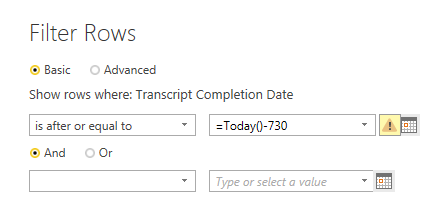
I am trying to filter a column based on date and I only care about the records that are equal to or less than two years old


Date_Filtering.PNG

1 ACCEPTED SOLUTION
v-caliao-msft
Microsoft Employee
Microsoft Employee

Hi @smithmc3,


Please refer to the steps below.

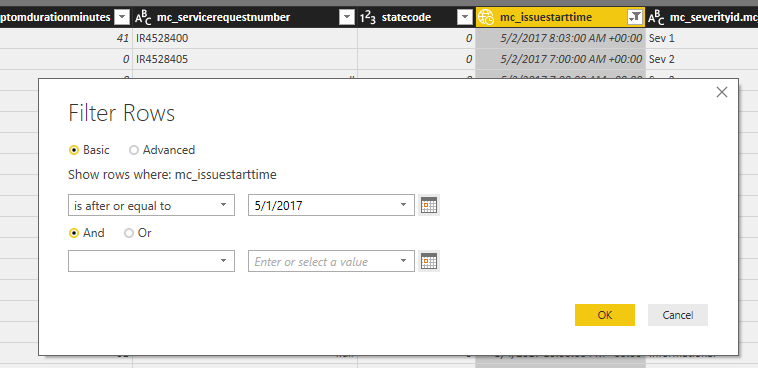
  1. Select any date when filter data and click OK button.
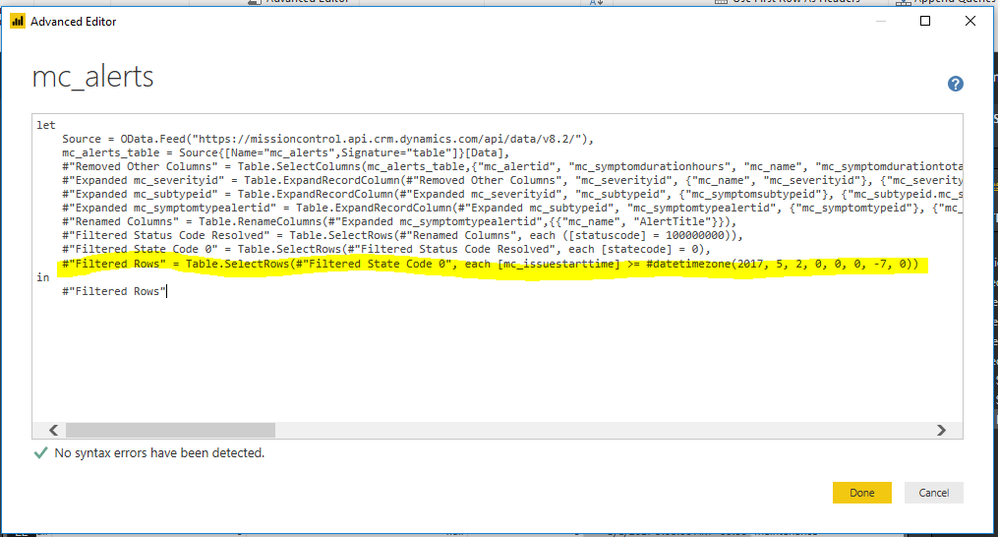
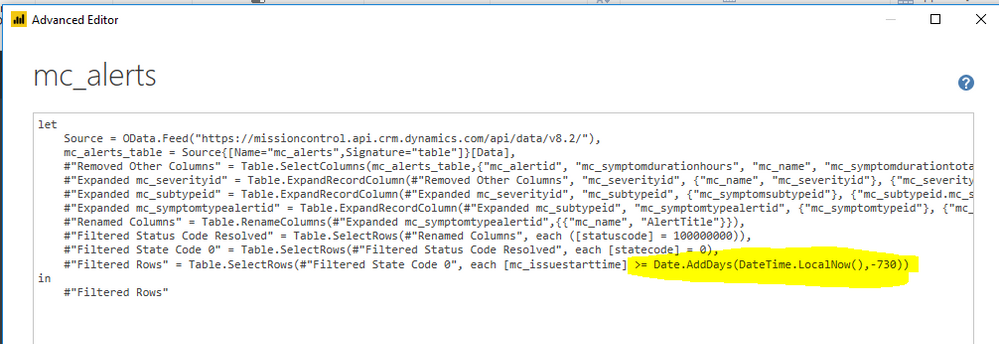
  2. Change the date #datetime(2017, 3, 16, 0, 0, 0) to Date.AddDays(DateTime.LocalNow(),-730))

Untitled.png


Regards,

Charlie Liao


View solution in original post

7 REPLIES 7
Ignacio_Vidal
Frequent Visitor

For all the people having problems with "we cannot apply < operator to types date and datetimezone", you are comparing Dates and DateTimes. As the original answer gives a DateTime, you must convert it to Date.

This can be accomplished adding a Date.From function before the DateTime.LocalNow() one. The original answer wolud be transformed to:

"> Date.AddDays(Date.From(DateTime.LocalNow()), -730))"

v-caliao-msft
Microsoft Employee
Microsoft Employee

Hi @smithmc3,


Please refer to the steps below.

  1. Select any date when filter data and click OK button.
  2. Change the date #datetime(2017, 3, 16, 0, 0, 0) to Date.AddDays(DateTime.LocalNow(),-730))

Untitled.png


Regards,

Charlie Liao


@v-caliao-msft  Followed this post and implemented solution but getting error "we cannot apply < operator to types date and datetimezone".   Which type do I need to use?


First make filter, choose any date

Capture.PNG


Next open query editor and find code for filter

Capture1.PNG


Next I replace with your code snippet

Capture2.PNG


I get this error

Capture3.PNG


@hxkresl mine is set to be just Date/Time not the Date/Time/TimeZone.  If you don't need the timezone portion, I would apply a step prior to your data filter that changes just to Date/Time.

@smithmc3

I tried Date/Time. Error states 'We cannot apply operator < to types DateTimeZone and DateTime' 


any other suggestion highly appreciated.


@hxkresl can you show the new screenshot of the code? Or could you export it to notepad ++ and attach?

So I made the change {= Table.SelectRows(#"Changed Type", each [Transcript Completion Date] <= Date.AddDays(DateTime.LocalNow(), -730))}


Then I noticed it was only showing 52 rows instead of 999+.  Looked at some of the dates and it was only showing those more than two years old ... changed "<="  to ">=" and we where back in business.  Thanks for the help!

Helpful resources

Announcements
Power BI DataViz World Championships

Power BI Dataviz World Championships

The Power BI Data Visualization World Championships is back! Get ahead of the game and start preparing now!

November Power BI Update Carousel

Power BI Monthly Update - November 2025

Check out the November 2025 Power BI update to learn about new features.

FabCon Atlanta 2026 carousel

FabCon Atlanta 2026

Join us at FabCon Atlanta, March 16-20, for the ultimate Fabric, Power BI, AI and SQL community-led event. Save $200 with code FABCOMM.