Join us at FabCon Atlanta from March 16 - 20, 2026, for the ultimate Fabric, Power BI, AI and SQL community-led event. Save $200 with code FABCOMM.
Register now!The Power BI Data Visualization World Championships is back! Get ahead of the game and start preparing now! Learn more
Hi,
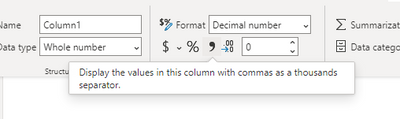
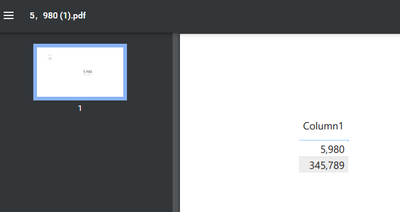
I'm having trouble exporting a report to PDF. In my workspace I display the numbers separated by commas (Example: 5,980), however when I export to PDF the number is changed to 5.980
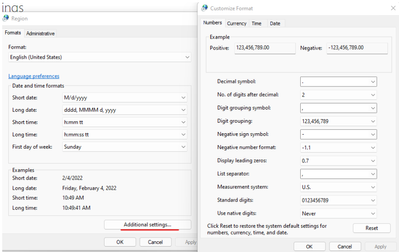
I have already made the changes in the regional settings of the browser and my computer, but it does not solve it
Thank you
Hello @Anonymous
Any updates? Does the method I share work?
Hi, @Anonymous
How did you set it up? I didn't have problems with my test.
What visual does this problem occur on? Can you explain it in detail?
Best Regards,
Community Support Team _ Janey
If this post helps, then please consider Accept it as the solution to help the other members find it more quickly.
Hello
Thanks for your answer. I install Power BI in Spanish language, since I am from Peru.
Then, the problem occurs only when I export the file in PDF or PPT. In these formats, the comma is changed to a dot.
Thanks again,
Hi, @Anonymous
Try using the following methods:
1. Check the system region symbol settings for decimal numbers:
Change the Windows regional settings to modify the appearance of some data types (microsoft.com)
Use custom format strings in Power BI Desktop - Power BI | Microsoft Docs
Best Regards,
Community Support Team _ Janey
If this post helps, then please consider Accept it as the solution to help the other members find it more quickly.
The Power BI Data Visualization World Championships is back! Get ahead of the game and start preparing now!