cancel
Showing results for 
Search instead for 
Did you mean: 

July 7 - July 17 | Round 2 of the Power BI Dataviz World Championships. Don't miss your chance! Learn more

Reply
spottlap
Regular Visitor

PowerPoint Export Issue

Hello Team,


We are trying to use the Export to PowerPoint option. It is really looking good after exporting the Reports to PowerPoint. But there are few graphics which are getting ignored while exporting.


1. The Back ground color from Original Reports Page is not exported to PowerPoint. So its showing as White background and loosing the look and feel of the report.

2. The slicer options created in reports are not working in PowerPoint.

3. Custom Visuals are not currently exported to PowerPoint.


Regards,

Srinivas P.

5 REPLIES 5
andrewporter
Advocate III
Advocate III

A workaround to get background images to show up is to add a 100% transparent, 0pt Rectangle "Shape" that covers the entire page and send it to the back in terms of formatting layers. Not ideal, but it works.

v-haibl-msft
Microsoft Employee
Microsoft Employee

@spottlap


These are limitations for Export reports from Power BI to PowerPoint (Preview). Please refer to the limitations section of this document.


  • Custom visuals, and R visuals, are not currently supported. Any such visuals are exported as a blank image into PowerPoint.
  • Background images will be cropped with the chart's bounding area. It's highly recommended that you remove background images before exporting to PowerPoint.
  • In-session interactivity such as highlighting and filtering, drill-down, and so on, are not yet supported when exporting to PowerPoint. The exported PowerPoint shows the original visuals as they were saved in the report.


Best Regards,
Herbert

Hi @v-haibl-msft!


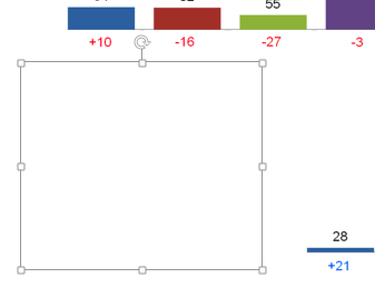
I can't understand what's mean "chart's bounding area". I tryed export pptx with image in chart's area and outside chart's area - always blank slides instead of images. 

I am having an issue as well. It appears when you export to Powerpoint now the background image is no longer included in the "charts bounding area". Up until about two weeks ago it seemed to work as described. Now it just shows the chart or visual not the background in that area.


DPereponov
Regular Visitor

Hello!


We have a similar problem. When we trying export report to pptx - all images export like white blank elelment. But in PowerBI it is a normal image.


Снимок экрана 2017-04-07 в 16.34.20.png


Helpful resources

Announcements
FabCon and SQLCon Barcelona 2026

FabCon & SQLCon – Barcelona 2026

Join us in Barcelona for FabCon and SQLCon, the Fabric, Power BI, SQL, and AI community event. Save €200 with code FABCMTY200.

60 days of Data Days Carousel

Data Days 2026

Join Fabric Data Days 2026: 60 days of free live/on-demand sessions, challenges, study groups, and certification opportunities.

Power BI DataViz World Championships carousel

Power BI DataViz World Championships - June 2026

A new Power BI DataViz World Championship is coming this June! Don't miss out on submitting your entry.