cancel
Showing results for 
Search instead for 
Did you mean: 

Level up your Power BI skills this month - build one visual each week and tell better stories with data! Get started

Reply
gregpetrossian
Advocate I
Advocate I

Power BI Icon Library

I repeatedly get tasked to create architecture diagrams for the workflow and flow of data when publishing reports from Power BI Desktop to PowerBI.com. I often have to create diagrams showing how Power BI Embedded works and the architecture mirroring work spaces and respecting RLS. I have been resorting to zooming in on PowerBI.com to take screen shots for icons like Workspaces, Apps, Reports, Datasets, Dataflows, Dashboards, Row-Level Security, etc... Wondering if anyone has a library of these icons I could use? A library of icons for Power Apps and Power Automate would be helpful as well. Thanks!

4 REPLIES 4
v-eachen-msft
Community Support
Community Support

Hi @gregpetrossian ,


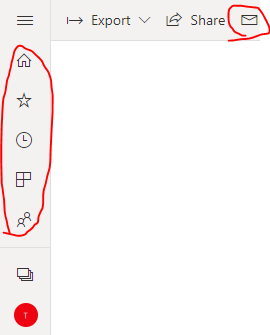
Do you mean to get these icons?

1-1.PNG

You could get it from this website: http://pbiux.azurewebsites.net/#icons
Here is the usage:

<pbi-icon name="share" size="medium"> </pbi-icon>


Community Support Team _ Eads
If this post helps, then please consider Accept it as the solution to help the other members find it.

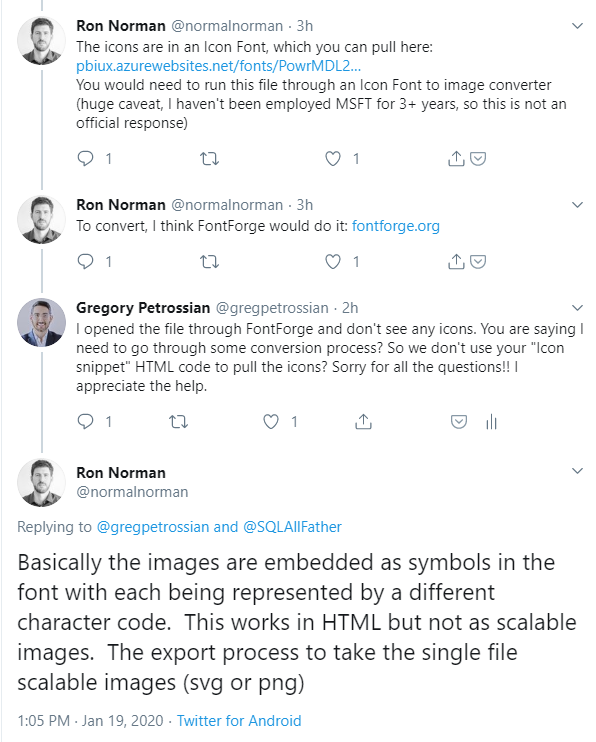
Yes this site is fantastic!! I am still trying to figure out how to use the HTML snippet though to pull the icons... Have you figured it out @v-eachen-msft? I have connected with the guy that got the website up on Twitter and have attached his comments... "The icons are in an Icon Font, which you can pull here: http://pbiux.azurewebsites.net/fonts/PowrMDL2.woff You would need to run this file through an Icon Font to image converter (huge caveat, I haven't been employed MSFT for 3+ years, so this is not an official response)"


MicrosoftTeams-image.png

Hi @gregpetrossian ,


I just stumbled across this site and bookmarked it, but I haven't really used it.

Look forward to other response and help.


Community Support Team _ Eads
If this post helps, then please consider Accept it as the solution to help the other members find it.

https://convertio.co/woff-svg will convert a .woff file to svg.

I couldn't open the .svg file, but if you open it in a text editor, you can get the paths.

FWIW, the glyphs I was looking for weren't in https://t.co/gq8543prIH?amp=1, but were in https://app.powerbi.com/13.0.12887.307/fonts/PowrMDL2.woff.


Helpful resources

Announcements
April Power BI Update Carousel

Power BI Monthly Update - April 2026

Check out the April 2026 Power BI update to learn about new features.

Fabric SQL PBI Data Days

Data Days 2026 coming soon!

Sign up to receive a private message when registration opens and key events begin.

New to Fabric survey Carousel

New to Fabric Survey

If you have recently started exploring Fabric, we'd love to hear how it's going. Your feedback can help with product improvements.

Power BI DataViz World Championships carousel

Power BI DataViz World Championships - June 2026

A new Power BI DataViz World Championship is coming this June! Don't miss out on submitting your entry.