cancel
Showing results for 
Search instead for 
Did you mean: 

The Power BI Data Visualization World Championships is back! It's time to submit your entry. Live now!

Reply
gregpetrossian
Advocate I
Advocate I

Power BI Icon Library

I repeatedly get tasked to create architecture diagrams for the workflow and flow of data when publishing reports from Power BI Desktop to PowerBI.com. I often have to create diagrams showing how Power BI Embedded works and the architecture mirroring work spaces and respecting RLS. I have been resorting to zooming in on PowerBI.com to take screen shots for icons like Workspaces, Apps, Reports, Datasets, Dataflows, Dashboards, Row-Level Security, etc... Wondering if anyone has a library of these icons I could use? A library of icons for Power Apps and Power Automate would be helpful as well. Thanks!

4 REPLIES 4
v-eachen-msft
Community Support
Community Support

Hi @gregpetrossian ,


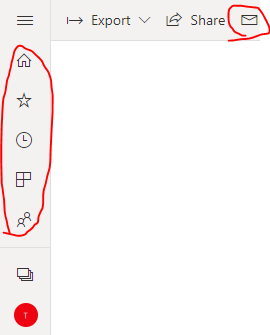
Do you mean to get these icons?

1-1.PNG

You could get it from this website: http://pbiux.azurewebsites.net/#icons
Here is the usage:

<pbi-icon name="share" size="medium"> </pbi-icon>


Community Support Team _ Eads
If this post helps, then please consider Accept it as the solution to help the other members find it.

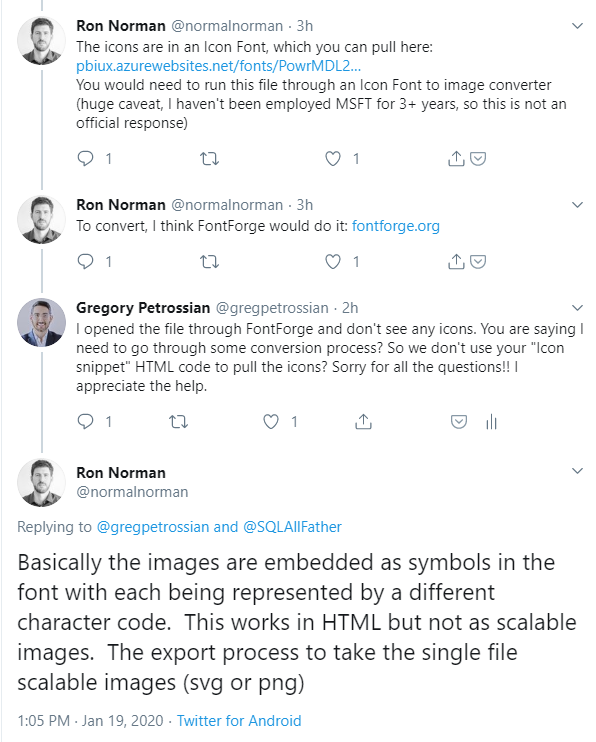
Yes this site is fantastic!! I am still trying to figure out how to use the HTML snippet though to pull the icons... Have you figured it out @v-eachen-msft? I have connected with the guy that got the website up on Twitter and have attached his comments... "The icons are in an Icon Font, which you can pull here: http://pbiux.azurewebsites.net/fonts/PowrMDL2.woff You would need to run this file through an Icon Font to image converter (huge caveat, I haven't been employed MSFT for 3+ years, so this is not an official response)"


MicrosoftTeams-image.png

Hi @gregpetrossian ,


I just stumbled across this site and bookmarked it, but I haven't really used it.

Look forward to other response and help.


Community Support Team _ Eads
If this post helps, then please consider Accept it as the solution to help the other members find it.

https://convertio.co/woff-svg will convert a .woff file to svg.

I couldn't open the .svg file, but if you open it in a text editor, you can get the paths.

FWIW, the glyphs I was looking for weren't in https://t.co/gq8543prIH?amp=1, but were in https://app.powerbi.com/13.0.12887.307/fonts/PowrMDL2.woff.


Helpful resources

Announcements
FabCon Atlanta 2026 carousel

FabCon Atlanta 2026

Join us at FabCon Atlanta, March 16-20, for the ultimate Fabric, Power BI, AI and SQL community-led event. Save $200 with code FABCOMM.