Join us at FabCon Atlanta from March 16 - 20, 2026, for the ultimate Fabric, Power BI, AI and SQL community-led event. Save $200 with code FABCOMM.
Register now!The Power BI Data Visualization World Championships is back! Get ahead of the game and start preparing now! Learn more
How to upload a excel file into power bi service?
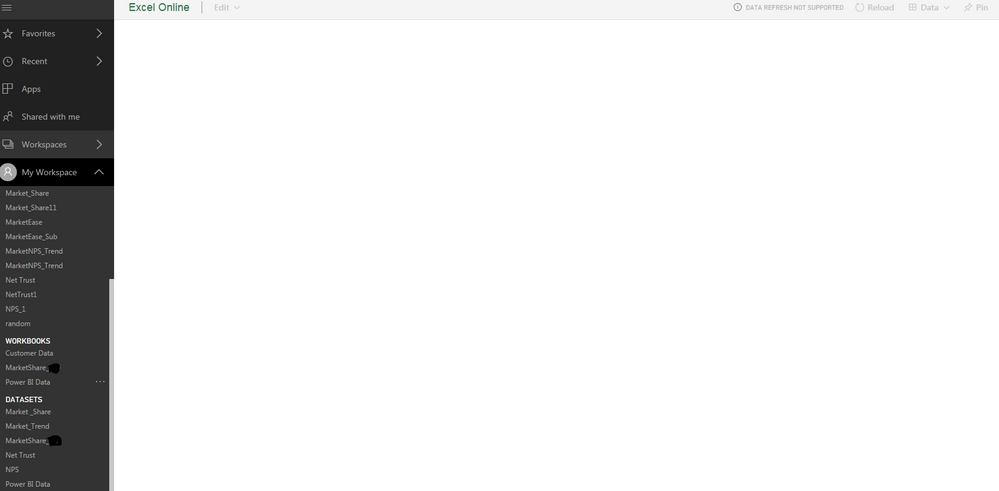
When i am uploading excel file its getting upload in to workbooks, but excel doesn't displays any data though my excel data is already in a table format.
Please tell me how to do?
Hmm, typically you upload to OneDrive and then connect the workbook via Get Data. Is that what you are doing?
No, I am uploading it from local file
Hmm, OK, I just tried this and it rendered for me. My test file was just a simple collection of data in cells though. What is on the Excel sheet that you are uploading? Perhaps it has some incompatibility with Excel Online? Perhaps create a new blank Excel workbook, put the number 100 in A1 cell, save and upload and see if it renders?
This time again nothing displays
Hmm, odd. Could be a browser issue I suppose but my guess would be some kind of service outage in the Excel Online rendering engine. Might want to check Office 365 for any service outages or issues. Might just have to try again later.
The Power BI Data Visualization World Championships is back! Get ahead of the game and start preparing now!