cancel
Showing results for 
Search instead for 
Did you mean: 

Learn from the best! Meet the four finalists headed to the FINALS of the Power BI Dataviz World Championships! Register now

Reply
raviahuja
New Member

Matrix Control in Power BI Service

Hello,


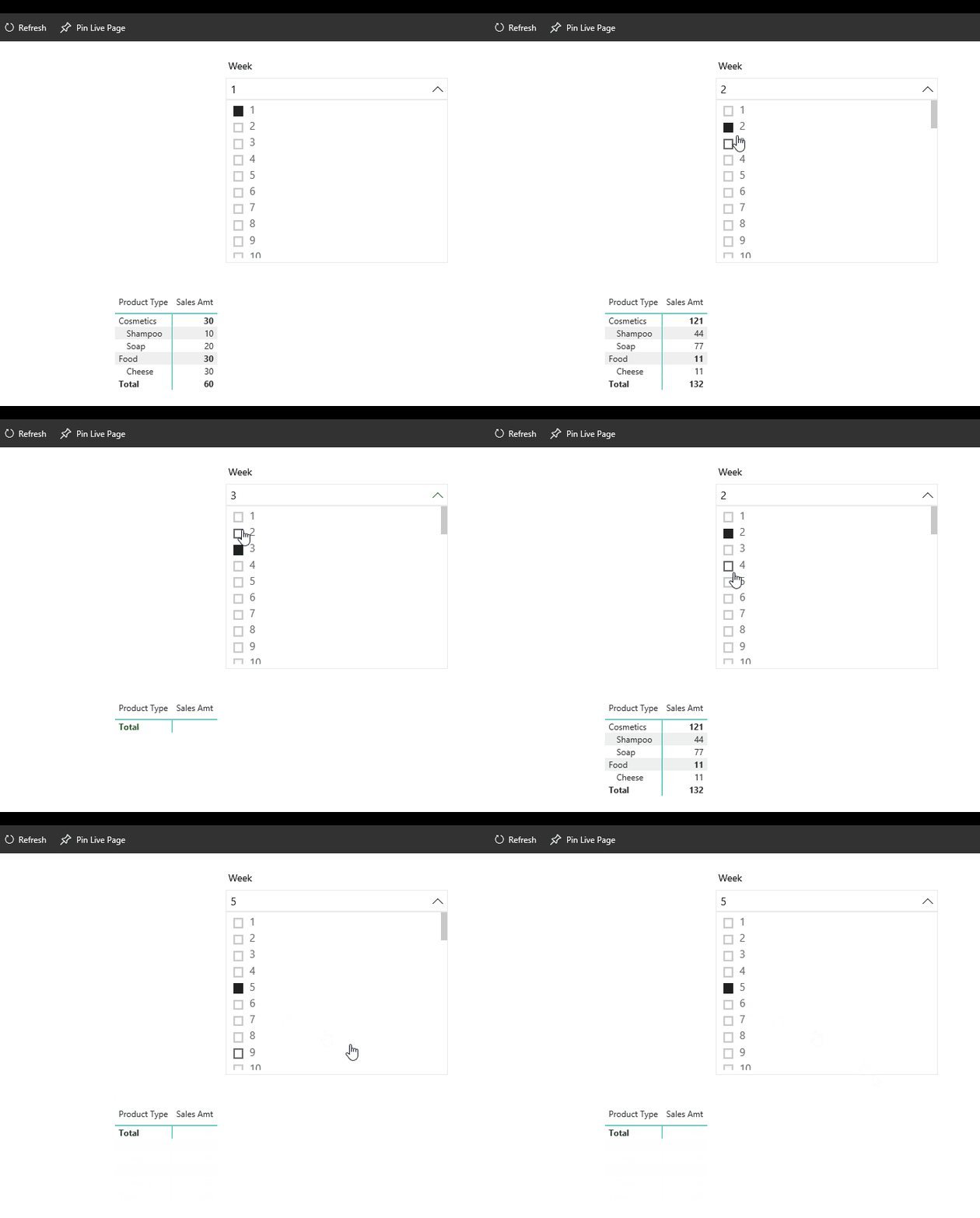
I have a week dimension and a sales fact in my power bi model. I created a matrix control & a week slicer to filter the matrix control, the slicer works well in the desktop version, however when I publish it to the web version it works only for records that matches with the week, if I select a week which does not exist in the fact table it shows the data for the last selected week. It changes only when I click the matrix control.


Power BI :Version: 2.48.4792.721 64-bit (July/2017)


Dimension

Week:

Columns: Week (contains week # 1-52)

Facts:

Sales:

Columns: Week, Product, Product Type, Sales Amt


Matrix -

Columns Product - Product Type

Values- Sales Amt


Relationship One to Many (Week - Sales) on Week #

3 REPLIES 3
v-ljerr-msft
Microsoft Employee
Microsoft Employee

Hi @raviahuja,


Do you still have this issue?


According to your description above, I have tested it with the same version of Power BI Desktop, and then published the report to Power BI service. The filter works all fine on both Desktop and service without this issue.


Could you post some screenshots on what you get on Power BI service? And it's better that you could also share a sample pbix file which can reproduce the issue. So that we can help further investigate on it. You can upload it to OneDrive or Dropbox and post the link here, or sent it to me in private message. Do mask sensitive data before uploading. Smiley Happy


Regards

Yes. the issue still persists, it occurs when I publish it to Power BI service. Here is the link to onedrive


https://1drv.ms/u/s!AqNMOyOjzH8wa4n_FNycczNdJJg


Hi @raviahuja,


I have tested it with your shared pbix file, and the Slicer still works all fine with the Matrix visual in Power BI service on my environment.


Animation.gif


As I cannot reproduce this issue, I would suggest you create a support ticket on Power BI Support page for better assistance on the issue. Smiley Happy


Regards

Helpful resources

Announcements
Join our Fabric User Panel

Join our Fabric User Panel

Share feedback directly with Fabric product managers, participate in targeted research studies and influence the Fabric roadmap.

February Power BI Update Carousel

Power BI Monthly Update - February 2026

Check out the February 2026 Power BI update to learn about new features.

FabCon Atlanta 2026 carousel

FabCon Atlanta 2026

Join us at FabCon Atlanta, March 16-20, for the ultimate Fabric, Power BI, AI and SQL community-led event. Save $200 with code FABCOMM.