Don't miss your chance to take the Fabric Data Engineer (DP-600) exam for FREE! Find out how by attending the DP-600 session on April 23rd (pacific time), live or on-demand.
Learn moreJoin the FabCon + SQLCon recap series. Up next: Power BI, Real-Time Intelligence, IQ and AI, and Data Factory take center stage. All sessions are available on-demand after the live show. Register now
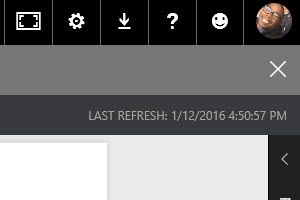
The last refresh date and time is now missing from the top right of the display in the service?
This was really useful - Is everyone else seeing the same?
We also noticed that the last refresh timestamp is now missing. This feature was very useful for our reports. Now we have to take up valueable report real estate with a mulitcard visualization displaying the refresh timestamp. Can this functionality be turned back on?
Last Refresh Timestamp Missing
Last Refresh Timestamp used to appear in top right corner
On my dashboards this moved to an option. The option now resides under the Elipse (...) in the top right of the dashboard tile. Once I checked the box, they came back and have stayed.
Proud to be a Super User!
Yes, you can display the last refresh timestamp on the dashboard tiles once they have been pinned to the dashboard. However, I was looking for the last refresh timestamp on the report. This would be helpful for the users who use the report view instead of the dashboards and was a feature that was active up until about a week ago.
I agree - this info needs to be put back on the reports!
Check out the April 2026 Power BI update to learn about new features.
If you have recently started exploring Fabric, we'd love to hear how it's going. Your feedback can help with product improvements.
A new Power BI DataViz World Championship is coming this June! Don't miss out on submitting your entry.
| User | Count |
|---|---|
| 11 | |
| 10 | |
| 9 | |
| 8 | |
| 8 |
| User | Count |
|---|---|
| 33 | |
| 31 | |
| 20 | |
| 19 | |
| 17 |