cancel
Showing results for 
Search instead for 
Did you mean: 

Try your skills in the Power BI Dataviz World Championship! Round one ends June 26. Join now

Reply
Anonymous
Not applicable

Last Date Refresh Card

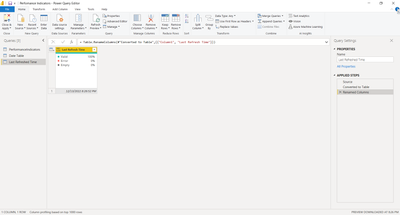
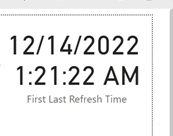
I have created a last date fresh table using this formula = Table.RenameColumns(#"Converted to Table",{{"Column1", "Last Refresh Time"}}). I've put this time into a card visual which displays the local time (EST) on the desktop version. But the card visual on the service platform returns a time 5 hours ahead. It wasn't doing this before, but it's doing it now. 


Help on how to get the card to display with EST on Power BI service. 


Thank you. 


JJL_Ptbo_2-1670981424498.pngJJL_Ptbo_3-1670981447434.pngJJL_Ptbo_4-1670981480761.png


1 ACCEPTED SOLUTION
edhans
Community Champion
Community Champion

You have to make sure the timezone of the date itself is set to EST. Once it runs in the service everything is based on UTC. I have a blog here that will walk you through the entire logic of it, but the bottom line is you ned to use the DateTimeZone* functions. The formula below will capture the current time no matter where you are, and switch it to eastern.


DateTimeZone.SwitchZone(DateTimeZone.LocalNow(),-5,0)


 If you already have timestamp, you should probably convert it to a timezone with the DateTimeZone.From - PowerQuery M | Microsoft Learn function. then ensure it is set to Eastern.

Keep the field as a DateTimeZone field and it will come into the DAX Datamodel correctly.

Note the article I linked to will also help you adjust for DST as ET is -5 or -6 depending on the time of the year.


Did I answer your question? Mark my post as a solution!
Did my answers help arrive at a solution? Give it a kudos by clicking the Thumbs Up!

DAX is for Analysis. Power Query is for Data Modeling


Proud to be a Super User!

MCSA: BI Reporting

View solution in original post

3 REPLIES 3
Anonymous
Not applicable

This worked great! I adjusted for EST. If I have data from SQL server and the data refreshes automatically will this visual also refresh? If the SQL server refresh fails the visual will still update which means the visual and data refresh may differ correct?

edhans
Community Champion
Community Champion

No, when a dataset refresh fails, the entire refresh is reverted back to previous, so you won't have tables in different states.


Did I answer your question? Mark my post as a solution!
Did my answers help arrive at a solution? Give it a kudos by clicking the Thumbs Up!

DAX is for Analysis. Power Query is for Data Modeling


Proud to be a Super User!

MCSA: BI Reporting
edhans
Community Champion
Community Champion

You have to make sure the timezone of the date itself is set to EST. Once it runs in the service everything is based on UTC. I have a blog here that will walk you through the entire logic of it, but the bottom line is you ned to use the DateTimeZone* functions. The formula below will capture the current time no matter where you are, and switch it to eastern.


DateTimeZone.SwitchZone(DateTimeZone.LocalNow(),-5,0)


 If you already have timestamp, you should probably convert it to a timezone with the DateTimeZone.From - PowerQuery M | Microsoft Learn function. then ensure it is set to Eastern.

Keep the field as a DateTimeZone field and it will come into the DAX Datamodel correctly.

Note the article I linked to will also help you adjust for DST as ET is -5 or -6 depending on the time of the year.


Did I answer your question? Mark my post as a solution!
Did my answers help arrive at a solution? Give it a kudos by clicking the Thumbs Up!

DAX is for Analysis. Power Query is for Data Modeling


Proud to be a Super User!

MCSA: BI Reporting

Helpful resources

Announcements
Fabric Data Days is here Carousel

Fabric Data Days 2026

Don't miss out on Data Days, June 15 through August 7. Learn Fabric, Power BI, SQL, AI and more.

May Power BI Update Carousel

Power BI Monthly Update - May 2026

Check out the May 2026 Power BI update to learn about new features.

Power BI DataViz World Championships carousel

Power BI DataViz World Championships - June 2026

A new Power BI DataViz World Championship is coming this June! Don't miss out on submitting your entry.