Join us at FabCon Atlanta from March 16 - 20, 2026, for the ultimate Fabric, Power BI, AI and SQL community-led event. Save $200 with code FABCOMM.
Register now!The Power BI Data Visualization World Championships is back! Get ahead of the game and start preparing now! Learn more
Hi
I would appreciate your inputs on following matter
I´m using Power BI Desktop and connecting to an On Premis SQL Database. in Direct Query mode.
After I´ve created my report in Power BI Desktop I puplish it to the Power BI cloud service.
I also configured an On-Premisses Gateway in the Power BI cloud connecting to the SQL database.
Now I really would like to know how I get Auto Refresh to work? When the database gets updated the report and dashboard in the Power BI cloud remain the same, the don´t get updated.
I´m able to do eight scheduled refreshes a day, of the dashboard but I need more frequent refreshes, such as every fiften minutes.
Thanks in advance
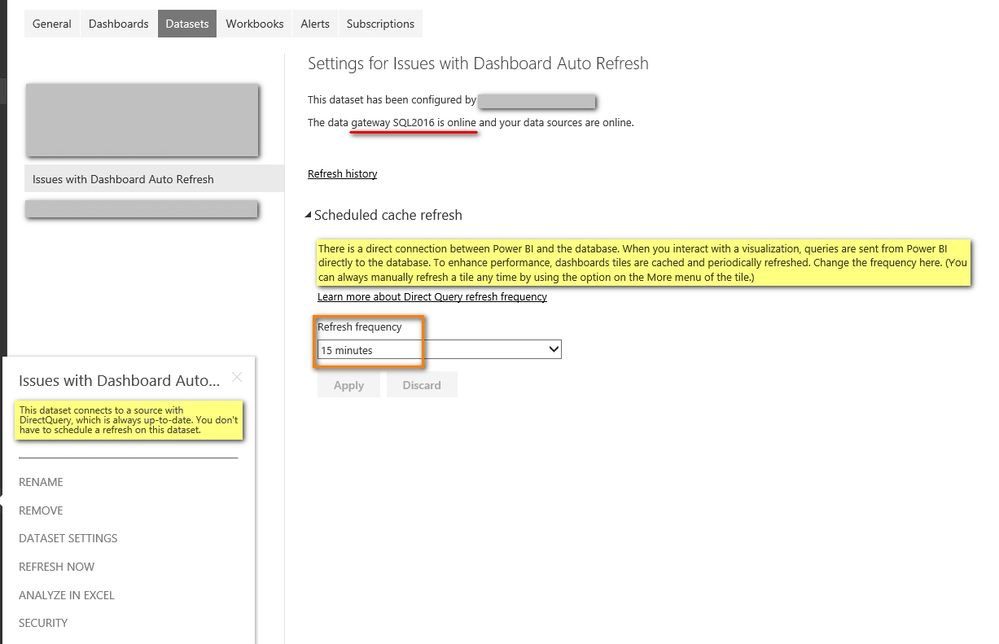
If you only have a data source which connects to your on premises SQL database, and in Direct Query mode, you can get the dataset refresh every 15 minutes as below.
Best Regards,
Herbert
Hi
Thank a lot for taking time to answer my question
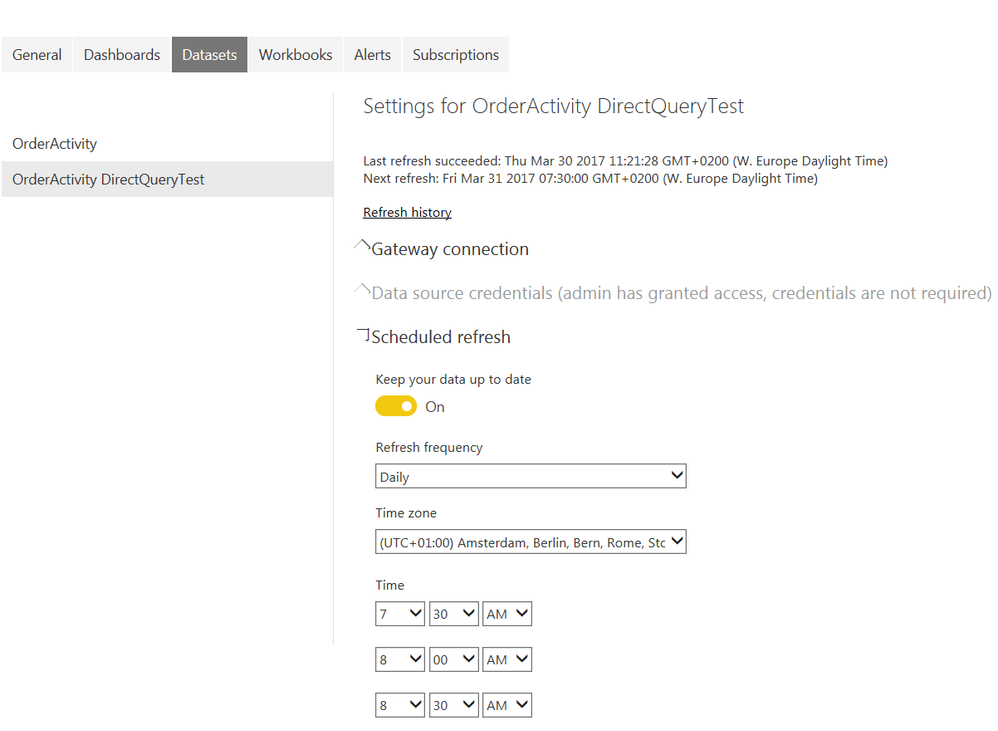
My view look slightly different than yours
Is Cache Refresh the solution I´m missing?
Best Regards
Samaneh
Reading this PBI article, my understanding is that cache refresh is not available in my region yet and that it applies to Direct Query for SQL DB in Azure.
Is that correct?
Best Regards
Samaneh
It seems that this feature has not been implemented in all regions yet. When this feature rolls out in your region, Power BI will send you an in-product notification if you are the owner of any such datasets.
Best Regards,
Herbert
The Power BI Data Visualization World Championships is back! Get ahead of the game and start preparing now!