Join us at FabCon Atlanta from March 16 - 20, 2026, for the ultimate Fabric, Power BI, AI and SQL community-led event. Save $200 with code FABCOMM.
Register now!The Power BI Data Visualization World Championships is back! It's time to submit your entry. Live now!
Hi, I need some help to understand this issue.
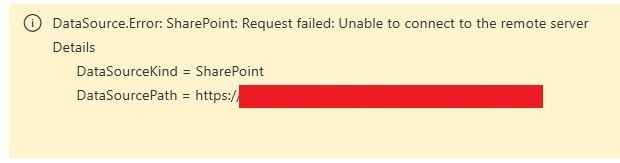
I've create a dataflow and connect with some files in a sharepoint, my sharepoint is online, I'm the administrator of the sharepoint, and also the files are ther, and also I replicate the same logic in desktop version and It's working fine, but in the last two days, the dataflow fails to update with this error:
Hi @debiagui ,
It seems that there has been a change in sharepoint online about the data source which is connected to desktop.
Try to modify the data source then follow the below link:
https://docs.microsoft.com/en-us/power-bi/desktop-sharepoint-online-list
You could check the Issues forum here:
https://community.powerbi.com/t5/Issues/idb-p/Issues
And if it is not there, then you could post it.
If you have Pro account you could try to open a support ticket. If you have a Pro account it is free. Go to https://support.powerbi.com. Scroll down and click "CREATE SUPPORT TICKET".
The Power BI Data Visualization World Championships is back! It's time to submit your entry.
Check out the January 2026 Power BI update to learn about new features.
| User | Count |
|---|---|
| 22 | |
| 13 | |
| 10 | |
| 7 | |
| 6 |