This time we’re going bigger than ever. Fabric, Power BI, SQL, AI and more. We're covering it all. You won't want to miss it.
Learn moreDid you hear? There's a new SQL AI Developer certification (DP-800). Start preparing now and be one of the first to get certified. Register now
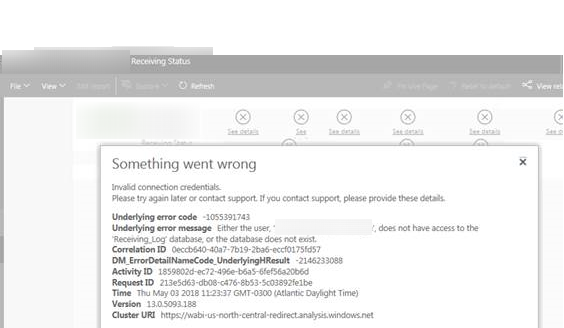
We have cubes built in Visual Studio on our datawarehouse that we connected to Power BI. One of our reports 'Receiving Status' isn't working for some users but it so for admins (me and others). This is the error message that the user is getting:
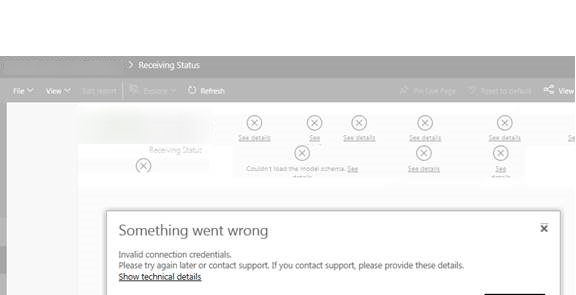
Something went wrong
Invalid connection credentials
Please try later or contact support. If you contact support, please provide these details
Show technical details
Technical details error:
Invalid connection credentials
Please try again later or contact support. If you contact support, please provide these details.
Uderlying error code: -1055391743
Underlying error message: Either the user, XXX\XXX, does not have access to the 'Receiving_Log' database, or the database does not exist.
Correlation ID: 0eccb640-40a7-7b19-2ba6-eccf0175fd57
DM_ErrorDetailNameCode_UnderlyingHResult: -2146233088
Activity ID: 1859802d-ec72-496e-b6a5-6fef56a20b6d
Time: Thu May 03 2018 11:23:37 MGT-0300 (Atlantic Daylight Time)
Version: 13.0.5093.188
Cluster URI: https://wabi-us-north-central-redirect.analysis.windows.net
We have our reports grouped together with workspaces and the user has access to the workspace and all the reports within it. But this one for some reason isn't working for her.
Thanks for the help.
Solved! Go to Solution.
HI @Machzy,
Based on error message, it seems like your credentials not have permission to access your dataset, I'd like to suggest you double check on your database setting if any changes on it.
In addition, please share more detail content to help us clarify your scenario.(e.g. datasource type, connection mode, snapshots, datasource credentials settings, refresh log, gateway logs...)
Reference link:
Troubleshooting the On-premises data gateway
Regards,
Xiaoxin Sheng
HI @Machzy,
Based on error message, it seems like your credentials not have permission to access your dataset, I'd like to suggest you double check on your database setting if any changes on it.
In addition, please share more detail content to help us clarify your scenario.(e.g. datasource type, connection mode, snapshots, datasource credentials settings, refresh log, gateway logs...)
Reference link:
Troubleshooting the On-premises data gateway
Regards,
Xiaoxin Sheng
I don't think so, how can I confirm?
Hi!
I'm having the same problem with a SQL server data source.
Any idea?
Thanks!
Check out the April 2026 Power BI update to learn about new features.
Sign up to receive a private message when registration opens and key events begin.
If you have recently started exploring Fabric, we'd love to hear how it's going. Your feedback can help with product improvements.
| User | Count |
|---|---|
| 10 | |
| 8 | |
| 8 | |
| 8 | |
| 7 |
| User | Count |
|---|---|
| 49 | |
| 27 | |
| 24 | |
| 20 | |
| 20 |