Hi All,
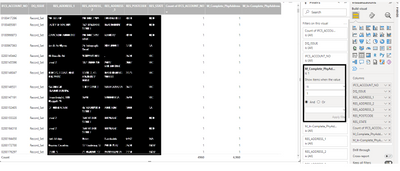
I have a table which has data as below:

I am trying to find the distinct count of account_nos for passed and failed records. I created three measures
Failed Records:
m_incomplete records = calculate(distinctcount(ifcs_account_no),dq_issue="in-complete")
Total Records:
m_total_records = calculate(distinctcount(ifcs_account_no),dq_issue="record_set")
Passed Records:
m_completed_records = totalrecords - failedrecords
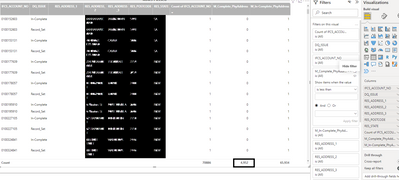
Now, when I want to show only the passed records in the table. I add the passedrecords in the filter to restrict to only "1" as shown in the image. I get some extra records. Expected output is 4952 but I get 4960
Output after removing filter:
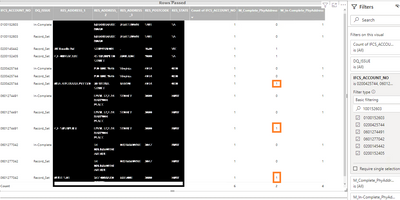
I noticed that some of the records are not showing right values. examples below:
the orange highlighted ones should be 0 for complete_records(passed) and should be 1 for in-complete records(failed) but I am getting opposite values.
Could someone please assist here.
Please note that: when I only have ifcs_account_no in the table, then I am getting correct results, I get incorrect values when I drag additional fields
Could someone please assist here.


