Join us at FabCon Atlanta from March 16 - 20, 2026, for the ultimate Fabric, Power BI, AI and SQL community-led event. Save $200 with code FABCOMM.
Register now!The Power BI Data Visualization World Championships is back! Get ahead of the game and start preparing now! Learn more
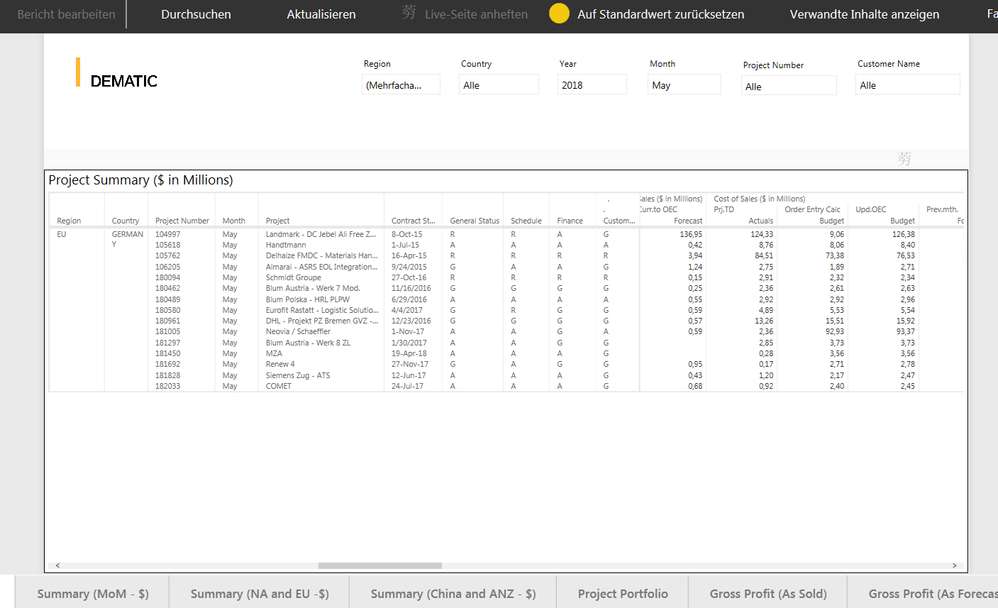
I cannot export any data from the report below. The grey bar above the report simply shows a Chinese character. How can this be fixed this so that I can export data? Any help appreciated, thanks.
Hi @Anonymous,
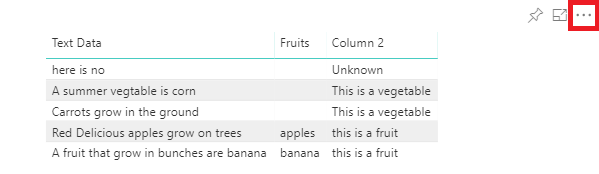
Do you have the option highlight in red for your visual?
If you don't have, you need to have a check if you have enabled the option Hide the visual header in reading view under Report settings in Power BI Desktop?
If have that option, but you don't have the option Export Data. You need to have a check if your admin disabled the option Export Date under Tenant settings?
If you still need help, please share a dummy pbix file which can reproduce the issue, so that we can help further investigate on it? You can upload it to OneDrive or Dropbox and post the link here. Do mask sensitive data before uploading.)
Best Regards,
Cherry
The Power BI Data Visualization World Championships is back! Get ahead of the game and start preparing now!
| User | Count |
|---|---|
| 56 | |
| 55 | |
| 37 | |
| 18 | |
| 14 |