Share feedback directly with Fabric product managers, participate in targeted research studies and influence the Fabric roadmap.
Sign up nowGet Fabric certified for FREE! Don't miss your chance! Learn more
I would like to know if it possible to deploy Azure SQL database credentials to the powerbi service using the tabular editor? I don't want to add those credentials to each datasource manually.
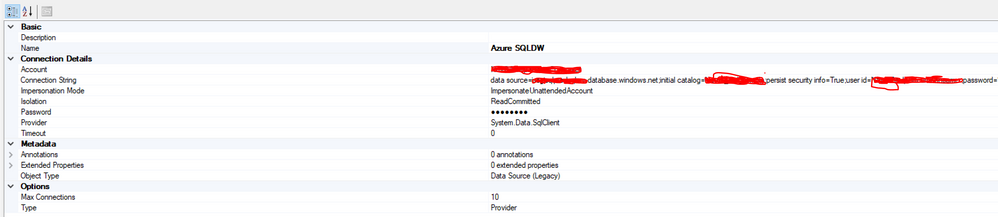
I've created a basic model using the tabular editor with a legacy datasource that looks like this:
I can connect to the datasource in the tabular editor and import tables, but when it comes to the model deployment, I get an error in the powerbi service that the imported datasource doesn't contain credentials to access the database. I tried different impersonation modes, but without success.
Solved! Go to Solution.
Datasets - Update Datasources (Power BI Power BI REST APIs) | Microsoft Docs Added a step to my pipeline for patching the datasource
You'll have to set the credentials (once) in the service.
It can be done programmatically however, for example with the REST API, I believe this one will do.
Share feedback directly with Fabric product managers, participate in targeted research studies and influence the Fabric roadmap.
| User | Count |
|---|---|
| 18 | |
| 7 | |
| 7 | |
| 7 | |
| 6 |
| User | Count |
|---|---|
| 45 | |
| 43 | |
| 25 | |
| 25 | |
| 23 |