cancel
Showing results for 
Search instead for 
Did you mean: 

Join the FabCon + SQLCon recap series. Up next: Power BI, Real-Time Intelligence, IQ and AI, and Data Factory take center stage. All sessions are available on-demand after the live show. Register now

Reply
Anonymous
Not applicable

How does Usage Metrics Unique User Count

Hi Community, 


I am building a user usage report in excel. (The data was downloaded to excel using pre-build report genereated in Power BI Service)

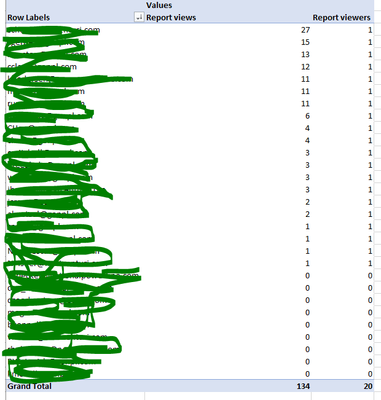
I was wondering the how does the list of report viewers get populated? In my screenshot, you can see there are arount 9 users have 0 views and their email still in the list. However, this report has been shared with more users and people who can access to the Workspace can view the report. Not all of the users has access were showing in the list. I just can't figure the logic behind this usege report.


Secondly, I know that the new user usage report only track last 30 days data (old version can track 90 days). So if anyone has any idea about how to track historical data of user usage report please let me know. What I am doing is download excel sheets and store as local file. I am looking for a better solution. 


Any answer woul    


schou12_0-1625787642817.png


1 REPLY 1
collinq
Super User
Super User

Hi @Anonymous ,


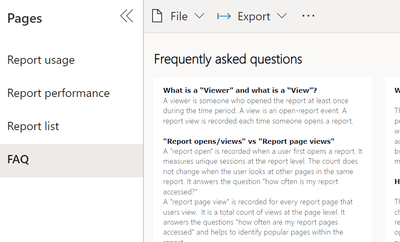
If you look at the new Usage Metrics Report and you select the FAQ tab, you will see some of the basic answers.

collinq_0-1625850182201.png


There is also a link there to a "more help"area that explains the area to look at to see if a report was shared with somebody or if there is a different distribution method:

Report usage Distribution method How users got access to the report, such as being members of a workspace, having the report shared with them, or installing an app.


As for the 30 problem, no, you about have it right - download the report and append it to itself is probably the best current way to do that if you want longer term reporting.


Did I answer your question? Mark my post as a solution!

Proud to be a Datanaut!
Private message me for consulting or training needs.


Helpful resources

Announcements
April Power BI Update Carousel

Power BI Monthly Update - April 2026

Check out the April 2026 Power BI update to learn about new features.

New to Fabric survey Carousel

New to Fabric Survey

If you have recently started exploring Fabric, we'd love to hear how it's going. Your feedback can help with product improvements.

Power BI DataViz World Championships carousel

Power BI DataViz World Championships - June 2026

A new Power BI DataViz World Championship is coming this June! Don't miss out on submitting your entry.

FabCon and SQLCon Highlights Carousel

FabCon &SQLCon Highlights

Experience the highlights from FabCon & SQLCon, available live and on-demand starting April 14th.